howto

How to: Spotlight a City Trip

London, Paris, Rome, New York. City trips offer you a unique opportunity to explore the culture and culinary delicacies of a country. In addition to the magnificent sights, the parks and cafés, it is the charm and the characteristics of a city that make a trip like this so interesting. Of course, the camera cannot be missing to capture and share the flair and vibrancy of the city. Here are our tips to make your pictures stand out from all the others.

The ‘Blue Hour’

After a stunning sunset, the sky will appear in a deep blue color and enters the ‘Blue Hour’. Historic monuments which are diffusely illuminated, buildings or the city in general will be lit up with all different kinds of lights with different color temperatures, creating a magical scenery. Unfortunately, due to different seasons, the Blue Hour can differ from season to season. Therefore, planning is key! Find out about suitable sights in advance and put yourself in a good place to get the most out of the Blue Hour.

Change Perspectives

The Eiffel Tower in Paris, the Tower Bridge in London or the TV Tower in Berlin there are hundreds of images from all three sights. All look basically the same because they are usually captured from similar angles. Now it is time to mix it up a bit. Have a more detailed look at known monuments and think about interesting details you may see or objects surrounding the main motif which might support the visual appearance. Having a look at pictures online and getting inspired to develop these photographic ideas further can help to explore new perspectives as well.

Skillfully Avoid Mistakes

© Omar Alnahdi

Taking a picture of a tower which looks like falling behind on the actual image or similar. So called ‘falling lines’ is the unpleasant effect when the camera is not aligned parallelly with the motif and the object has parallel edges. The slight inclination causes ‘falling lines’ which can be bothersome. Consequently, it is important to choose the angle carefully to avoid this mistake. If that is not possible, finding a suitable location and then using the falling lines creatively is essential. For example, photographing a skyscraper steep from below, which will emphasize the high of the building. This makes your photo more dynamic and transforms it into an eye-catcher.

Blur People

Visiting sights in different cities always leads to crowds of people standing in front of one building or statue, which makes taking great shots almost impossible. In order to still have the motif playing the main role, there are two options to do so. Either visiting a sight early in the morning or late at night, or reach into the bag of tricks. With an exposure time of 1/15s or longer, motion blurs are created. This blurs the masses of tourists and puts the building back in the foreground. Very important: Use a tripod.

Capture The Skyline

© Elia Locardi

Let’s be real. We all LOVE it. A city’s skyline can be magical for most of us. From an elevated viewing point, it is possible to experience a breathtaking sea of lights, which account for a photo that is rich in contrast. Depending on the location, there are some things to think about. When photographing the skyline through a window, it is important to stand as close as possible to the window to avoid mirroring reflections. Using the flash in that occasion can cause a white dot on the window and should be turned off. Making use of a tripod helps to take sharp photos.

Now you are prepared for the next city trip and awesome memories captured through your camera.

Header Image © Daniel Malikyar

How to: Photos in Bad Weather

Dreary clouds, rain, fog and wind are definitely not ideal for an outdoor shooting. But especially bad weather offers many interesting and new sceneries for photo motives.

Match Colors

Rain is a great scenery to capture, but the colors are often not emphasized enough in normal settings. Consequently, the picture looks dull and dreary. Therefore, +Correction helps the colors regain their luster. The adjustment slightly overexposes the subject and lifts the color mood. These corrections can be made in aperture or time mode, as well as in full automatic mode. If the colors still look dull, image processing can help them out.

Capture Raindrops

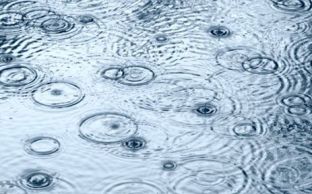
Raindrops are excellent design elements. Deciding whether to photograph rain drops or threads is the first decision to make. If you want to “freeze” drops, a shutter speed of 1/250 is recommended. For thread rain that runs through the entire image, you need slower shutter speeds. Of course, you can bring out interesting details again. For example, capturing a drop at the moment it hits a water surface. To capture this magical moment with a camera, it is necessary to shoot as close to the ground as possible. This will make the jumping raindrops look even more expressive. Leaves where the rain bounces off also make a fantastic subject.

Explore different motives

Raindrops are one of the go to’s, but there is so much more to discover. Thunderclouds, for example, bring more dynamics into the picture. Light reflections on wet streets or puddles that reflect the skyline can also be skillfully used for image composition. Moreover, the wind is also photogenic. It gives the image more tension and creates that certain something. To capture these elements, it is important to work with motion blur. This will give the image more dynamics.

Photos in fog

Fog creates the mystic atmosphere in a photo. Especially when sunlight hits the fog, fantastic color effects are created. The fog then shimmers in a light yellow-golden or even in a delicate bluish tone. This is not only interesting, it is also the perfect backdrop for captivating photos. Missing out on the classic in fog photography is not an option for any photographer: Rays of light making their way through the fog have a fascinating effect. Here the position is crucial! Standing in such a way that it is possible to work with the backlight. This brings out the light rays particularly well.

However, the autofocus of many cameras can fail with foggy subjects. The reason for this is the often low contrast. Therefore, focusing manually or using the hyperfocal distance is the way to go. In addition, the exposure needs to be readjusted manually as well.

Header Image © Pawel Kosicki

How to: Tips for Photo Editing

Raw Format without Loss

Nowadays most cameras, especially professional ones, include a RAW-function which allows saving images in a raw data format. This setup is perfect in order to rework pictures without a loss thanks to its large dynamic range. Unfortunately, there is no standard of RAW data yet, causing differences between camera manufacturers and models. Nonetheless, the internet offers a wide range of converter tools, helping to easily edit raw image data. For example, the Adobe-DNG-Converter transforms your data in a uniform format. Afterwards, the pictures can be adjusted with common photo editing tools. All RAW data not only have marginal differences, they also share two substantial characteristics. Firstly, the original image quality remains, including all details captured by the image sensor. Subsequently, the pictures always need to be edited. Secondly, the storage requirement increases.

Lightroom to edit image raw material

Not all shots are always 100% perfect. Honestly, they probably are never immaculate at first. Consequently, many photographers rework their data with editing tools such as the professional image editing software Adobe Lightroom. Lightroom was designed specifically for RAW formats. Beneficial is that this tool does not work destructive, meaning it is always possible to undo all changes made. The finished results can be synchronized with the original images on the user’s own computer. This gives Apple users an advantage for the time being, but an APP for Android devices is already planned.

LightZone 4.0 as free RAW converter

A free substitute for Lightroom is LightZone which is an open source project since its 4th version. Thus, it is a freeware under BSD licence for Windows, macOS, and Linux. LightZone is not only suitable for converting and processing RAW files, but also for JPEG or TIFF. Additionally, it offers similar tools for editing individual image areas as Photoshop.

JPEG decreases Image Quality

Joint Photographic Expert Group (JPEG), representing a cooperation of experts who developed this format. It is the most common used imaging formation, but has one major downside, the loss of picture information. Even though most camera models enable to choose the compression ratio, but it does not prevent a loss of details on photographic prints. In addition, there are some limits occurring while editing JPEG photos because the internal software of the camera already performs some editing processes. Especially, once changes have been made, they can only be edited afterwards to a limited extent. Overall, JPEG uses less storage capacity, but therefore provides fewer possibilities to enhance and edit the image professionally.

Image Optimization through FUJIFILM Ordering Software

The automatic image enhancement of myFUJIFILM is perfect for everyone who has not the possibility to optimize an image template for photo prints themselves. This is particularly suitable for unprocessed image files that need to be brightened. Please deactivate the automatic image enhancement in the ordering software or on our Internet platform for all images that have already been edited.

Why is image resolution so important?

Digital images are converted into small dots when printed (so-called dots per inch – dpi). The more dots per inch there are, the less individual dots the human eye can perceive. This means that the dots blur into an overall image and the photo looks razor sharp. Therefore, it is important that the image has a resolution of 300dpi. Moreover, it is decisive to consider the fact that the subject might look perfect on the computer, but the print can still be blurred later.

The reason: most monitors have a resolution of 72 or 96 dpi. This corresponds to about one third of the image format. To ensure a flawless print resolution, you should therefore rather determine the actual dpi number with the following formula: dpi = (horizontal pixel count of the photo x 2.54) / width of the photo

For example, a picture width of 15 cm and a horizontal pixel count of 1600 will have 271 dpi. Of course, calculating the value for each photo is not necessary at this point. Our software (ordering software / internet platform) shows via a warning triangle if the image quality is sufficient or insufficient for the selected format. If the image does not meet the requirements for a photo print in the desired size, there is the option of selecting a smaller image format via the selection menu. The formula is still very practical, as it helps to check shots at random. This makes it easy to calculate the right image format in advance.

Once the image processing and a quality check is completed, the next step is to order the prints. Fujifilm’s photo labs expose digital images on smudge-proof FUJIFILM photo papers. The images that are developed in this way are always of high quality. Digital photos that are printed out on your PC at home will therefore never meet this standard.

Header Image © Jerred Zegelis

How to: The Perfect Winter Photo

The skiing trip is just around the corner, the winter clothes are already packed, and the camera cannot be missing either to capture the beautiful moments and the winter wonderland we all dream about. The Winter season always comes with its magical moods that can become unique shots if you stage them correctly. Here are three important tips we want to share with you to make your winter photography experience even better.

1. Outsmarting the pitfalls of photographing in winter sceneries

Underexposure

Larger white spaces in a motive can irritate the exposure meter because the system records too much light, which causes the aperture to close. Consequently, this will cause the picture to be underexposed. to prevent something like this from happening, use the function “exposure corrections” and try to experiment a little to find the perfect settings suiting your wishes. It is also possible to adjust the value of the ISO. If you reduce it by half, the amount of exposure should double. Perhaps, your camera even offers a preset “snow” programme, which definitely will spare you some time and nerves.

White Balance

Do not despair if the colour scheme is not optimal when having a look at your final results. Nowadays, there are many good photo editing software programmes out there that will help you to adjust the colour scheme accordingly. Simply use a filter that helps to correct colours or selectively choose the colours you want to adjust.

2. Perfect winter motives

The Winter season is perfect for macro shots. Look for details in your motives, like flowers covered in a unique layer of ice. Thereby, it is important to pay attention to a steady camera position, which is essential because the exposure time is longer and the depth of field is only a few millimetres compared to usual shots. Most of the time, digital compact cameras already offer you a preset macro programme. If you can set the aperture, then you should use a small aperture to get the sharpest possible pictures (e.g., f11 to f22).

3. The best equipment

No winter wonderland without some pitfalls. Cold and humid weather are two dangerous characteristics that, eventually, will harm your equipment. The cold weather will decrease battery performance and might cause other damage as well. Subsequently, be prepared and bring additional batteries and keep them close to your body to keep them warm at all times. Additionally, when changing from cold to warm temperatures, be careful not to expose the camera to a sudden change in temperature. This might cause condensation to settle in the camera’s body and harm internal technology. Having a look at the camera’s manual can help to prevent damages too.

Now that we provided you with some useful and important tips, we hope you are even more prepared to shoot some amazing pictures in awesome winter scenery.

Autumn Wildlife Photography

Alan Hewitt, a professional wildlife photographer based in the UK and part of the 2020 X-Photographer line-up, shares tips, tricks and experiences on photographing wildlife you can find near your home. As it’s getting colder, the days are getting shorter and the light is playing tricks on us, we are happy to pick up Alan’s insights.

Many thanks to fujifilm-x.com and Alan Hewitt for the inspiration and the impressive wildlife photographs.

In his article, Alan explains how to find the right subject – for example by creating a mini nature reserve in your garden. If you don’t have a garden, there’s tips on how to spot animals in parks or other green spaces in or around your city.

Whether colourful birds in your garden, vivid squirrels or rabbits in a nearby park or even coastline wildlife – these beautiful photos by Alan Hewitt show the diversity to be captured.

Having found animals to shoot, the next step is to get geared- and set-up. Alan has helpful tips on what equipment to bring and how to set it up for best results.

Not only knowing how to shoot wildlife, but actually understanding your surroundings is key – field guides as well as researching on the internet or joining interesting social media groups can help with this.

Ethics is an important topic when shooting wildlife. Alan, therefore, offers some advice on best practices when working with animals in nature.

We encourage you to read Alan’s post in its entirety. We hope you will find a few autumn days with interesting light and fun, beautiful animal friends to be photographed.

Halloween DIY: Have Fun While Staying Safe


Many thanks to instax UK for the inspiration and the shots! Check out their instax Blog to get even more inspirational instax DIY ideas.


Some Halloween traditions may look different this year, but it can still be a lot of fun. Celebrate the spookiest time of year safely with your family at home and make sure the only thing to be scared of is the costumes. Make it safe, keep it fun!
Here are some quick and easy tips to add a fun, creative edge using instax prints! Take the chance for you and the members of your household to get creative, and maybe even invent some new traditions for your family!

Toffee Apple Treat Tags

What you need:

  • 6 apples
  • 350g sugar (golden caster sugar or brown sugar)
  • 100ml water
  • 35g butter
  • 2tsp white vinegar
  • 2tbsp golden syrup
  • Baking paper
  • Wooden toffee apple sticks/lollipop sticks
  • Clear film or bagsSugar thermometer (optional)
  • Ribbon
  • Scissors
  • Hole punch

How to create:

Clean your apples and dry them thoroughly.
Twist off each stalk and push a wooden stick into the stalk end of each apple.
Cut a piece of baking paper big enough for all the apples with generous space between them.
Put the sugar and water into a pan on a medium heat. Cook until the sugar has dissolved and then stir in the butter, vinegar and golden syrup.
TIP: If you have a sugar thermometer boil to around 120°C, or test the toffee by spooning a small amount into a bowl of cold water. If it’s ready it will ball up and harden; if it’s not, it will break up.
When it’s ready, turn off the heat.

Now you need to work quickly. Dip each apple into the toffee. Make sure it’s covered before taking it out – let any excess toffee drip off back into the pan. Place it on the baking paper to dry.
The apples should take around 15 minutes to fully dry, then it’s time to get wrapping and gift tagging.

Turn on your instax  Printer and connect your camera using the instax SHARE app.
Select a picture to print, click edit and rotate the image 180° so it looks upside down. This is so when you punch a hole in the top of the print, the gift tag hangs so the picture is the right way up (Important – never punch a hole into undeveloped film as the chemicals sit inside the wide white part of the film and will be harmful to your skin!).
If you don’t want to punch a hole, you can print as normal and stick the instax print to a piece of card and punch the hole in the card instead.
Wrap your toffee apple with film or place it in a film bag (stick upwards),
thread your ribbon through the hole in the print, then wrap it around the film and tie it in a bow.

Photo Piñata

Buy a spooky-themed piñata for your party. Fill it with sweets and instax pictures so it will be even more of a surprise when the winner smashes it open.

Pumpkin Carving

This is one Halloween tradition that is as safe and fun as ever – apart from carving injuries! So as always, please be careful with the knife!
Create some scary pumpkin faces and make it an unforgettable event with your family by taking some snaps with your instax camera.
TIP: Roast the pumpkin’s seeds for a healthy snack!

Ghoulish Goodie Bags

So no sweets and snacks get left behind, create personalised gift bags for your friends and surprise them. Choose some pictures from last year’s Halloween parties which have great memories for you and your friends, stick them to the goodie bags and decorate in Halloween bits. Hand out the candy bags by placing them in front of their door. So this is a way to still feel connected to your friends, even during COVID and by keeping distance.