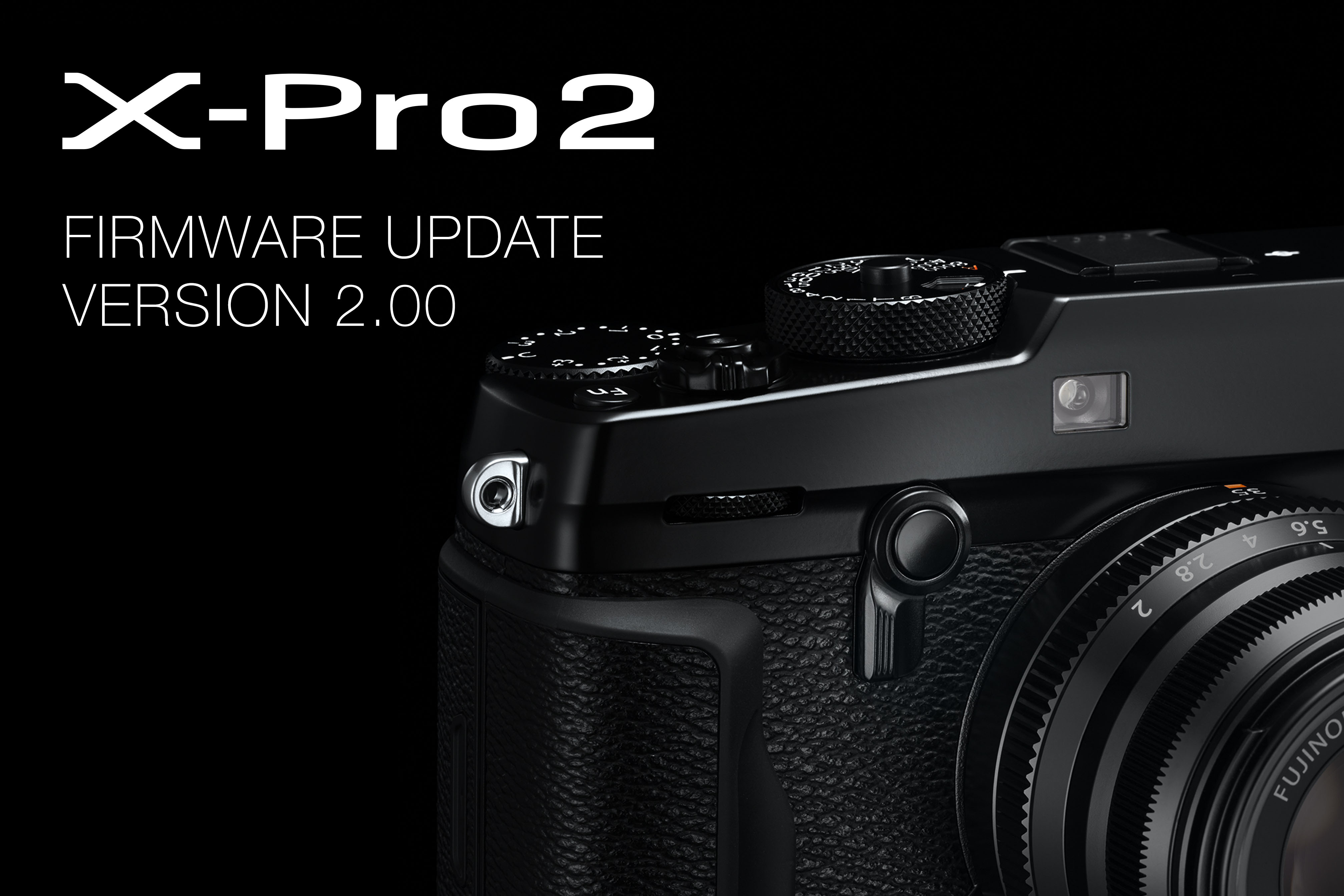
Fujifilm Corporation (President: Kenji Sukeno) is pleased to announce that a free firmware update (Ver. 2.00) for the FUJIFILM X-Pro2 is now available to download. With the added performance provided by this firmware update, the FUJIFILM X-Pro2 rangefinder-style mirrorless digital camera will stand alongside the new FUJIFILM X-T2 D-SLR-style mirrorless digital camera as one of the “double flagship” X Series cameras.
Key X-Pro2 firmware version 2.00 features:
1. The new autofocus algorithm* that is implemented on the FUJIFILM X-T2 will also be implemented on the FUJIFILM X-Pro2. As a result, more accurate autofocus is now possible, and the AF tracking in AF-C mode will be improved. The number of focus point will be increased from 77 to 91 points (13×7) and from 273 to 325 points (25×13) to improve framing. * Excludes the new AF-C Custom Settings functions.
2. Compatibility with the new hot-shoe mount flash EF-X500 will enable wireless multi-flash lighting with TTL control up to three groups and high-speed flash sync.
3. AUTO POWER OFF will now have 15 sec, 30 sec, and 1 min. options. AUTO POWER SAVE function, which was previously only available in ECONOMY mode, is now available as an option in HIGH PERFORMANCE and STANDARD modes to allow users to minimize battery power consumption.
4. AF point position interlocked with parallax will be displayed to provide a more accurate and easier-to-use Optical Viewfinder even when Corrected AF frame function is set to OFF.
More improvements
In our constant endeavor to improve user’s enjoyment of Fujifilm products, the firmware version 2.00 update will provide a total of twenty improvements to the X-Pro2. For a list of all improvements, please visit the link here.
Do you know which prime lenses you use more than any others? I do.
Things you and I already know about the Fujinon XF lens range:
1) They’re as sharply designed and as beautifully well made as the cameras they attach to.
2) They can, without exception, deliver outstanding results.
3) There’s already a superb line-up and it’s only going to get better.
But there was something that I didn’t know about my own use of XF lenses and felt that I really should; which lenses did I use for what subject and, perhaps more importantly, why. In order to find out, I decided to apply a small amount of science to this with the aid of Lightroom.
If you select Lightroom’s Library module, you can quickly see which lenses you’ve used and how many shots you’ve taken with them by selecting the Metadata option in the Library Filter bar. Once this option is selected, you can use the individual drop down menus below this bar to further refine your search. I did this and quickly discovered that I’d shot with a wide variety of XF lenses, but some definitely got more use than others. What follows here are my top five prime lens choices, in focal length order, what I use them for and why I love them. It’s worth pointing out before we get started, of course, that my suggestions may or may not be up your street. You can use the XF16mm for portraits just as much as you can use the XF90mm for landscapes, so be sure to experiment!
1) XF23mmF1.4 R
This is a firm favourite for plenty of X Series users, but based on my Lightroom-based search my primary usage seems to be in two main areas: landscapes and travel. Both of these are pretty obvious, I guess. The lens offers a modest, distortion-free wide-angle view that suits a whole range of subjects and flicking through my images it’s easy to see the appeal – the XF23mm is spectacularly sharp, right from F1.4. Delving a little deeper into the metadata, I discovered that I rarely used the lens at its minimum aperture, favouring the wide apertures more, except when I was striving for plenty of depth-of-field. I expect the new XF23mmF2 to get similar levels of usage once I get my hands on one (hint, hint…)
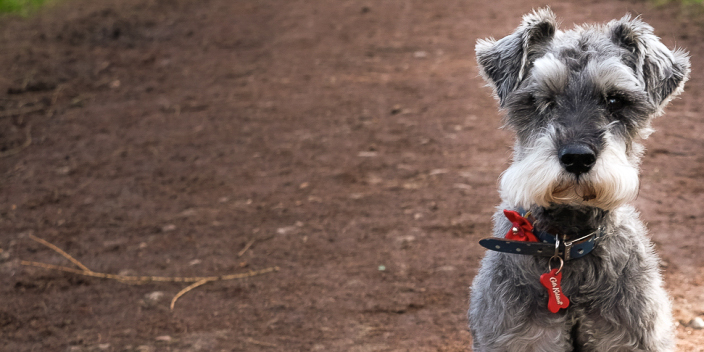
Given my regular use of the XF23mm, I was surprised to see that I also gave the XF27mm plenty of outings, too. Looking at the resulting shots, though, it was evident that I shot very different subjects with this more compact lens. It’s definitely the one I pick when I head into a city or town to shoot street images, or just want a lens that I can pop on a camera body and head out. There were an inordinate number of pictures taken with the XF27mm when I was out walking my dog (see the shot at the top of this post) and it was interesting to see that my use of the XF27mm had greatly increased when I was testing the X-Pro2. This duo make a killer combination in both portability and image quality.
The 35mm focal length lenses barely registered on my Lightroom search, so the next in my top five was this beauty in its non-APD form. Compared to the XF23mm and XF27mm, this is a real lump of a lens, but in a good way. It’s supremely well made and the optical quality is truly exceptional – if you’ve ever used one, you’ll know exactly what I mean. My use of it, however, was a little more surprising. Sure, there were a few portraits in the selection, but the majority of my shots were taken with the lens at its widest aperture (or thereabouts) to make the most of the tremendous bokeh effects it offers. Less than 10% of the shots were taken at an aperture of F4 or smaller.
Another surprise, given its proximity in focal length terms to the XF56mm but, as with my 23mm/27mm lens scenario, the XF60mm gets used for a different set of images. In fact, I’ve shot a great deal with this lens, probably because it remains one of the sharpest in the XF line-up, despite being one of the first introduced with the X-Pro1 back in 2012. Weddings, portraits, still life images, close ups and product shots have all been shot with the Macro, and on a variety of X Series bodies, too. I even took some street images with it, but I guess it’s because I left the XF27mm at home that day…
A late entry into my list of top five primes largely because I’ve been shooting with it so much of late. This is an absolutely stunning lens that has a look all of its own and delivers outstanding image quality. I used it for a lot of shots in my Fun in the Sun blog from a couple of months ago and since then it has stayed pretty much permanently on a Fujifilm X-E2S body. Yes, it’s great for portraits, but I also found that I shot lots of close-ups and detail images with this lens, making the most of its fast focusing and high quality optics.
This surprised me. Based on this Lightroom search, my undisputed king of prime lenses is the XF60mmF2.4 R Macro which beats the second most used lens (the XF23mmF1.4 R) by almost two to one. I’ve always loved the 60mm, but I never realised that I used it quite as much as I evidently do. It may not be the fastest focusing lens in the XF line-up, but it’s an optical gem which must be the reason why I keep on going back to it. Right, I’m off to do the same experiment for zooms…
Is there such a thing as the best camera or perfect lens?
Maybe for some, but for most you will find that no camera and lens will provide you with what you want. Many professional or enthusiast photographers and videographers would have experienced the question that always seems to be unanswerable when asked by a friend or family member.
The question that typically gets asked is…
What is the best camera or lens to get?
You have to admit it is a valid question, but really it is a hard one to answer. In order to attempt at answering the ‘how long is a piece of string’ question, you have to ask a question rather than an answer. Here’s a good example:
What are you intending to take photos of and what would you like to do with the photos after you have captured them?
It is the final response that will determine what the best camera for them will be.
Technology does play a part in the solution, though, and it is one of those things that will always develop over time. A good example of this is when you look back 10 years, when the Fujifilm Finepix S5 Pro was released on September 25th, 2006. Back then 6 megapixels was amazing and a frame rate of 1.6 frames per second seemed incredible. This to many at the time was a leap in the right direction. The specifications and skin tones produced by the camera seemed very adequate for most portrait and wedding photographers, but for those who required a fast frame rate, like sports photographers it just wasn’t enough.
Fast forward to Fujifilm’s recent X-T2 release and the image quality jumped four times to 24 megapixels while the frame rate increased to 14 frames with the electronic shutter. Now, clearly, with the increased frame rate and megapixels this should be enough to cater for the portrait, wedding and sports photographers out there.
Some will agree with this and others might not. That’s the thing when making a camera – you can never cater for every user out there. Instead, Fujifilm goes the step further to try and provide cameras based on user feedback in response to the questions above. It’s certainly not everyone but it’s the vast majority.
Part of what being a photographer and videographer is all about is learning how to use the equipment to get the best results – despite the specifications.
So, if someone were to ask you – what is the best camera or lens to get – the first reply should always be what are you intending to photograph and use it for?
Based on this information you will be able to guide them with the correct camera and lens combination that will suit their needs. This is why we recommend you visit a camera store, because unlike online where the prices may seem better – you can never put a price on the excellent knowledge and service provided by an expert.
To help you with your decisions while you read this, a free PDF buying guide has been provided in case you have any questions about the current range of Fujifilm cameras (a lens guide is also in the making). In the guide, we take you through each available model, including the new Fujifilm X-T2 and attempt to best describe whom the camera would be good for in a real world situation.
Once you have read through the magazine styled pages, we encourage you to visit our store locator (if you are in Australia) to find the nearest Fujifilm X Stockist where you can ask questions and get a direct response from an expert. On top of this if you are unable to visit a store we encourage you to call us directly on 1800 226 355 and choose option 4, where an expert from our Fujifilm X Series digital help desk will be able to assist.
Lastly, if you own a Fujifilm X Series camera, tell us why you choose your camera and how it best suits your needs. We would love the feedback!
May this year I picked up a second-hand graphite silver edition X-T1 and wanted a good excuse to go out shooting with it.
Shooting with the XF50-140mm
So.. I arranged to meet a model I’ve known for 5 or 6 years now, Imogen Leaver who’s with Nevs Models in London. We got chatting and I mentioned a friend of mine who’s a makeup artist that had just moved to Ibiza, well she’d been on my case to fly out and shoot on the island, it was something I’d been wanting to do for a long time.
To cut a long story short, we were both fairly quiet work-wise so we looked into flights and within a few days that was it, flights were booked and we were going to fly out the following week for 3 days!
The next thing to decide was what gear to take?
You see my switch to regular use of the Fuji X System was still pretty fresh, my Canon 5D MkIII was and still is part of my kit but I’d only used it once in about 4 or 5 weeks, even in the studio I’d been reaching for the X-T1.
Honestly, I thought I might have deliberated more over what kit to take but I wanted to travel light and I already knew how much I loved Fuji in natural light from past experience so that was that – I took the X-T1, the X100T, my 35mm and 56mm.
I’d also been hearing great things about the XF50-140mm zoom, but being a prime shooter I wasn’t too sure if it would work for me, but Fujifilm kindly loaned me one for the trip so I could try it out and see what all the fuss was about, I wasn’t expecting to use it much – how wrong I was!
The Shoot
First day out we drove to a beautiful beach, Sa Caleta the sun was shining & we were ready to get going, the rocks and cliffs were a beautiful golden colour I just knew would give amazing tones and colour to Imogen’s skin.
We started with a bit of fashion on the water’s edge before heading up into the cliffs, at this point I pulled out the 50-140mm lens as I thought it would be good to stay fixed to one spot rather than moving around the rocky terrain with the camera to my eye and tripping.
Well, I really wasn’t prepared for how much I was going to fall in love with that lens, it performed like a prime, fast to focus, sharp and the Optical Image Stabilisation (OIS) was a real plus. I’ve not got the steadiest hands so when I’m out in natural light it can be so easy to miss a shot due to camera shake, but with this lens every shot was in perfect focus.
I was also surprised how balanced it felt in the hand for a large zoom, when you compare it to something tiny like the 35mm F2 you’d expect it to feel very heavy and just a bit odd on a small body, but I found it really easy to use and very comfortable.
Day one was the last time I used my primes, seriously.
The zoom did not leave my camera for the rest of the trip as after reviewing the images on my MacBook Pro every evening I noticed they appeared to have more depth to them, almost a 3D quality. Maybe it was the beautiful Ibiza light I don’t know, but there’s something I can’t quite put my finger on that’s different to the primes and whatever it is, I love it.
I really did put it to the test on this trip as well, some strong winds on the second day really showed how the OIS helps. We shot alongside those famous Ibiza sunsets where Imogen modeled swimwear out upon a jetty with the sunset behind her – I experimented quite a bit here as it’s not something you get to shoot everyday!
I’d shot sunsets in the past but throwing a model into the mix really offered up a new challenge for me, and I knew Imogen really wanted some sunset shots too… no pressure!!
I exposed for the sunset initially leaving Imogen in silhouette but then found a good middle ground exposure to be able to have enough light on her while still capturing the beauty of the sunset, the colours and reflections on the water. I also tried exposing for the model and blowing out the sunset more and I have to say they all worked out very well.
You don’t get more than maybe 20 minutes to get those shots and yet I was still spoilt for choice with the results. I knew I could push things in post but I’m a bit of a stickler for getting things as close in camera as possible & having all the dials on top of the camera really helps to make those quick adjustments.
I think the ultimate test was as we were driving away from the beach on the cliff road, Lauren, our make up artist and host pointed out to the sun just about to disappear into the water behind us, I wound down the window grabbed the XT and with my upper body hanging out of the moving car I took a shot, as you can see it came out beautifully!
I have to say that I truly missed that lens when it went back to Fuji and I think I’m very likely to get myself one in the near future. The whole trip was a great success and we’ve had great feedback from the images that were taken.
I’d like to thank Fuji for providing the lens for this trip as well as my friends Lauren Buckley make-up artist and Imogen Leaver for making the trip such a successful and memorable one.
By Nicole S. YoungMacro photography is an fascinating way to get a close-up look at everyday items. Photographers will oftentimes use a tripod to create their photos, but in some cases it is necessary, and also more convenient, to hand-hold the camera to create these images. However with hand-held macro photography you will also face certain challenges along the way. Here are some tips to help get you started creating your own beautiful macro photographs.
Camera gear used in this article:
FUJIFILM X-T1 Camera
FUJIFILM X-T2 Camera
FUJINON XF60mmF2.4 R Macro Lens
Neewer CN-216 Dimmable LED Panel
Add More Light
I like to photograph macro images in the shade or on cloudy days so that I have a nice even light spread across the scene. However, sometimes the existing light is not quite enough for the camera settings required to get a good image (a high shutter speed and lower ISO). To compensate, I will oftentimes use a simple and inexpensive LED light that can either be attached to the hot-shoe of the camera, or held off to the side. This not only adds a good amount of fill light, but it also will help add catchlights to whatever you are photographing.
The Neewer CN-216 Dimmable LED Panel adds a nice fill-light to a macro photo without being too harsh.
Focus Manually
When photographing something that is moving, just like I did with these images of bees, it was very difficult to use auto-focus. The bees were moving to quickly and positioned themselves out of focus before I could even press the shutter. To work around this challenge, I decided to pre-focus the lens and moved the camera back-and-forth until I could see the bee in focus, and then I pressed the shutter and fire off several consecutive frames. You will end up with a lot of throwaway images with this technique, but you will also have a higher chance of getting one of the images from that set in focus.
Here’s a step-by-step on how I performed this technique:
First, I pre-focused the lens so that the focus point was an appropriate distance from the lens for the subject (in this case, a bee on a flower).
Next, I set my drive mode to “continuous high”.
Once I found a good subject (a bee on a flower), I moved the camera back and forth on the bee until I could see it come into focus on the preview on the back of my camera. As I saw it pop into focus, I pressed the shutter and created several images (with the hopes that one of them is in focus).
Focus on the Eyes
If photographing a bug or small animal, it’s important that you focus on the eyes. Small bugs can move around quickly, and so it can be tempting to feel like you are getting a good photo if the creature is facing away from you. While it won’t hurt anything to fire off a few photos (pixel are cheap, after all), a photo of the eyes of a bee, for example, is much more compelling than a bee butt. Have some patience and position yourself so that you can create the best creature portrait as possible.
This photo is in focus, but it’s also the wrong end of the bee! (FUJIFILM X-T2, FUJINON XF60mm Lens, 1/680 sec at F2.4, ISO 400)
Your best bet is to position yourself so that you can photograph the eyes of your subject. This image shows just how detailed the eyes of a bumblebee can be when zoomed in close. (FUJIFILM X-T1, FUJINON XF60mm Lens, 1/1000 sec at F5, ISO 3200)
Find a Clean Background
Creatively speaking, the composition of your photo is going to be one of the most important aspects. You might have a “technically perfect” photo, but if it does not look good compositionally then it it loses its appeal. I find that one of the easiest ways to get a good composition is to angle myself so that the background is clean and not busy. There are a few different ways you can accomplish this:
Move your camera (or yourself) lower to position the frame at eye-level (instead of shooting down). This will help create a blurred background to separate the subject from its surroundings.
Find a subject that has contrasting elements behind it so that it stands out.
Use a wide aperture to add more blur to the background.
The bee in this photo is on a very distracting background, and makes the image less pleasing. (FUJIFILM X-T2, FUJINON XF60mm Lens, 1/420 sec at F2.4, ISO 400)
To get a better photo, I waited for the bee to move and positioned myself so that the background behind the bee was less busy. (FUJIFILM X-T2, FUJINON XF60mm Lens, 1/320 sec at F2.4, ISO 400)
Use a Fast Shutter Speed
With hand-held photography it’s important to make sure that the shutter speed is set fast enough to prevent camera shake. A good rule of thumb is to set the speed to at least the same number as the focal length of your lens. For example, I was using a XF60mm lens for these photos, so I would want to be sure that the shutter speed was set to no slower than 1/60th of a second to make sure that I don’t add motion blur to the photos. However I also needed to make sure that the shutter speed was fast enough to freeze the action of the bees as they moved around. For these photos I found that a shutter speed of 1/250 (and typically higher) was a safe setting.
At 1/30th of a second, the shutter speed is WAY too slow to both hand-hold the bee and photograph it without moving. As a result, there is a significant amount of motion blur in this image. (FUJIFILM X-T2, FUJINON XF60mm Lens, 1/30 sec at F4, ISO 200)
Using a faster shutter speed, such as 1/500th of a second, gives you a better chance of getting a photo without any movement. (FUJIFILM X-T1, FUJINON XF60mm Lens, 1/500 sec at F4, ISO 640)
The intensity of the light in the environment you are photographing will determine if this is going to be an issue. If there is a lot of sunshine or it is very bright (even in a shaded area), then you may be in the clear. However if you do need to increase the shutter speed, here are some tips to help you add more light to the scene:
Try adding an additional light source (similar to what I mentioned at the beginning of the article).
Increase the ISO setting, or set it to “auto” and let the camera decide for you.
Use a wide aperture, such as ƒ/2.8 or wider. Doing this will allow more light to the sensor, but it will also increase the blur and narrow your depth of field (the area that is in focus), so it may be more difficult to get an in-focus photograph.
About the AuthorNicole S. Young is a full-time photography educator living in Portland, Oregon. She owns and operates the Nicolesy Store where she creates and sells photography training, presets, and textures for photographers of all levels. Nicole has also been a stock photographer for over 10 years and licenses her work primarily through Stocksy United.
Photography is art. Whether you’re capturing the soul of another in a portrait, or the essence of our world in a landscape image. What you capture on a sensor is reflective of how you perceive our shared environment. A camera, in other words, is akin to a painter’s brush. Perhaps this is why we place so much importance on our tools. We want to wield a brush that will help us achieve what we see in our minds. I love the analogy of a painter and a photographer especially when considering the use of Fujifilm for one of my brushes.You see, one of the reasons I bought into the Fujifilm X System was because of how I thought it’d allow me to obtain a certain aesthetic. Sure, I loved the retro look, the portability, the easy access of essential controls, the fact that it was supremely sharp; but there was more to it than these common Fuji-loves. As an artist I draw a lot of inspiration from the work of old masters. I find their aesthetic as timeless and powerful. The use of light and contrast in their paintings to be awe inspiring. I wanted to achieve with my camera and lens something close to what they were able to produce with a brush and canvas. Enter the tools I prefer to wield for a master aesthetic: the X-T1 and X-Pro2.Fujifilm’s X-Trans APS-C sensor has a few advantages in regards to capturing light. One of the largest advantages is how well it can get everything in focus when compared to one of its full-frame counterparts. A crop frame essentially increases your depth of field while you are also able to bring in more light to the sensor with an equivalent aperture and focal length. Why is this an important factor, even for portraits? Because having your scene in focus allows your viewer to get a better idea of the entire area your subject is in. A story can unfold before your viewer with better ease. Of course, you can achieve a deep depth of field with larger sensors, but you’ll lose out on light and sometimes even enter into diffraction issues depending on your scene. I’m sure some of you are wondering, “but what about the bokeh?!” Sure, bokeh can be nice for a headshot and even in environmental portraits. Bokeh offers a great way to force a viewer to look at the subject. Though, I feel as though there is a stronger element to draw attention to a subject: light. Breaking out of the bokeh-mold you’re able to expand upon your use of light. The X-Trans sensor also has an oddity about it that I have not found on a Bayer patterned sensor: it produces sharp images that have an almost a brush stroke feel to them. Some will point out that it is due to my processing an image in Lightroom and Adobe’s refusal to really figure out how to sharpen an X-Trans sensor. There could be some truth to that and from what I’ve read online, most people aren’t impressed by this interaction between camera and processor. I, however, enjoy this look and use it to my advantage. The images produced by a Fujifilm sensor seem to come together in a different manner than my images from other sensors.Since I am a large fan of natural light I really love cameras that are able to take what I throw at them in terms of needed dynamic range. With Fujifilm, I love how easily I’m able to bring down the highlights and get a nice overall exposure. This puts me shooting my exposure a little to the right more often than I’m used to, but it’s great to be able to see a clean sky in my images. There is also the DR setting which gets baked into the RAW files and even allows some more pushing of the files if need be. This is especially useful when using harsh lighting.There you have it, some of the greatest reasons of why I love my Fujifilm cameras and why they are able to capture the moments I love.







 By
By  Macro photography is an fascinating way to get a close-up look at everyday items. Photographers will oftentimes use a tripod to create their photos, but in some cases it is necessary, and also more convenient, to hand-hold the camera to create these images. However with hand-held macro photography you will also face certain challenges along the way. Here are some tips to help get you started creating your own beautiful macro photographs.


 Nicole S. Young is a full-time photography educator living in Portland, Oregon. She owns and operates the
 You see, one of the reasons I bought into the Fujifilm X System was because of how I thought it’d allow me to obtain a certain aesthetic. Sure, I loved the retro look, the portability, the easy access of essential controls, the fact that it was supremely sharp; but there was more to it than these common Fuji-loves. As an artist I draw a lot of inspiration from the work of old masters. I find their aesthetic as timeless and powerful. The use of light and contrast in their paintings to be awe inspiring. I wanted to achieve with my camera and lens something close to what they were able to produce with a brush and canvas. Enter the tools I prefer to wield for a master aesthetic: the X-T1 and X-Pro2.
 Fujifilm’s X-Trans APS-C sensor has a few advantages in regards to capturing light. One of the largest advantages is how well it can get everything in focus when compared to one of its full-frame counterparts. A crop frame essentially increases your depth of field while you are also able to bring in more light to the sensor with an equivalent aperture and focal length. Why is this an important factor, even for portraits? Because having your scene in focus allows your viewer to get a better idea of the entire area your subject is in. A story can unfold before your viewer with better ease. Of course, you can achieve a deep depth of field with larger sensors, but you’ll lose out on light and sometimes even enter into diffraction issues depending on your scene. I’m sure some of you are wondering, “but what about the bokeh?!” Sure, bokeh can be nice for a headshot and even in environmental portraits. Bokeh offers a great way to force a viewer to look at the subject. Though, I feel as though there is a stronger element to draw attention to a subject: light. Breaking out of the bokeh-mold you’re able to expand upon your use of light.
  The X-Trans sensor also has an oddity about it that I have not found on a Bayer patterned sensor: it produces sharp images that have an almost a brush stroke feel to them. Some will point out that it is due to my processing an image in Lightroom and Adobe’s refusal to really figure out how to sharpen an X-Trans sensor. There could be some truth to that and from what I’ve read online, most people aren’t impressed by this interaction between camera and processor. I, however, enjoy this look and use it to my advantage. The images produced by a Fujifilm sensor seem to come together in a different manner than my images from other sensors.
 Since I am a large fan of natural light I really love cameras that are able to take what I throw at them in terms of needed dynamic range. With Fujifilm, I love how easily I’m able to bring down the highlights and get a nice overall exposure. This puts me shooting my exposure a little to the right more often than I’m used to, but it’s great to be able to see a clean sky in my images. There is also the DR setting which gets baked into the RAW files and even allows some more pushing of the files if need be. This is especially useful when using harsh lighting.
 There you have it, some of the greatest reasons of why I love my Fujifilm cameras and why they are able to capture the moments I love.