Month: February 2022

How to: Photos in Bad Weather

Dreary clouds, rain, fog and wind are definitely not ideal for an outdoor shooting. But especially bad weather offers many interesting and new sceneries for photo motives.

Match Colors

Rain is a great scenery to capture, but the colors are often not emphasized enough in normal settings. Consequently, the picture looks dull and dreary. Therefore, +Correction helps the colors regain their luster. The adjustment slightly overexposes the subject and lifts the color mood. These corrections can be made in aperture or time mode, as well as in full automatic mode. If the colors still look dull, image processing can help them out.

Capture Raindrops
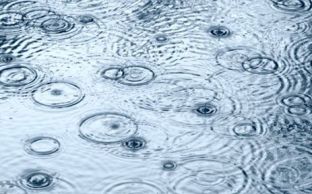
Raindrops are excellent design elements. Deciding whether to photograph rain drops or threads is the first decision to make. If you want to “freeze” drops, a shutter speed of 1/250 is recommended. For thread rain that runs through the entire image, you need slower shutter speeds. Of course, you can bring out interesting details again. For example, capturing a drop at the moment it hits a water surface. To capture this magical moment with a camera, it is necessary to shoot as close to the ground as possible. This will make the jumping raindrops look even more expressive. Leaves where the rain bounces off also make a fantastic subject.

Explore different motives

Raindrops are one of the go to’s, but there is so much more to discover. Thunderclouds, for example, bring more dynamics into the picture. Light reflections on wet streets or puddles that reflect the skyline can also be skillfully used for image composition. Moreover, the wind is also photogenic. It gives the image more tension and creates that certain something. To capture these elements, it is important to work with motion blur. This will give the image more dynamics.

Photos in fog

Fog creates the mystic atmosphere in a photo. Especially when sunlight hits the fog, fantastic color effects are created. The fog then shimmers in a light yellow-golden or even in a delicate bluish tone. This is not only interesting, it is also the perfect backdrop for captivating photos. Missing out on the classic in fog photography is not an option for any photographer: Rays of light making their way through the fog have a fascinating effect. Here the position is crucial! Standing in such a way that it is possible to work with the backlight. This brings out the light rays particularly well.

However, the autofocus of many cameras can fail with foggy subjects. The reason for this is the often low contrast. Therefore, focusing manually or using the hyperfocal distance is the way to go. In addition, the exposure needs to be readjusted manually as well.

Header Image © Pawel Kosicki
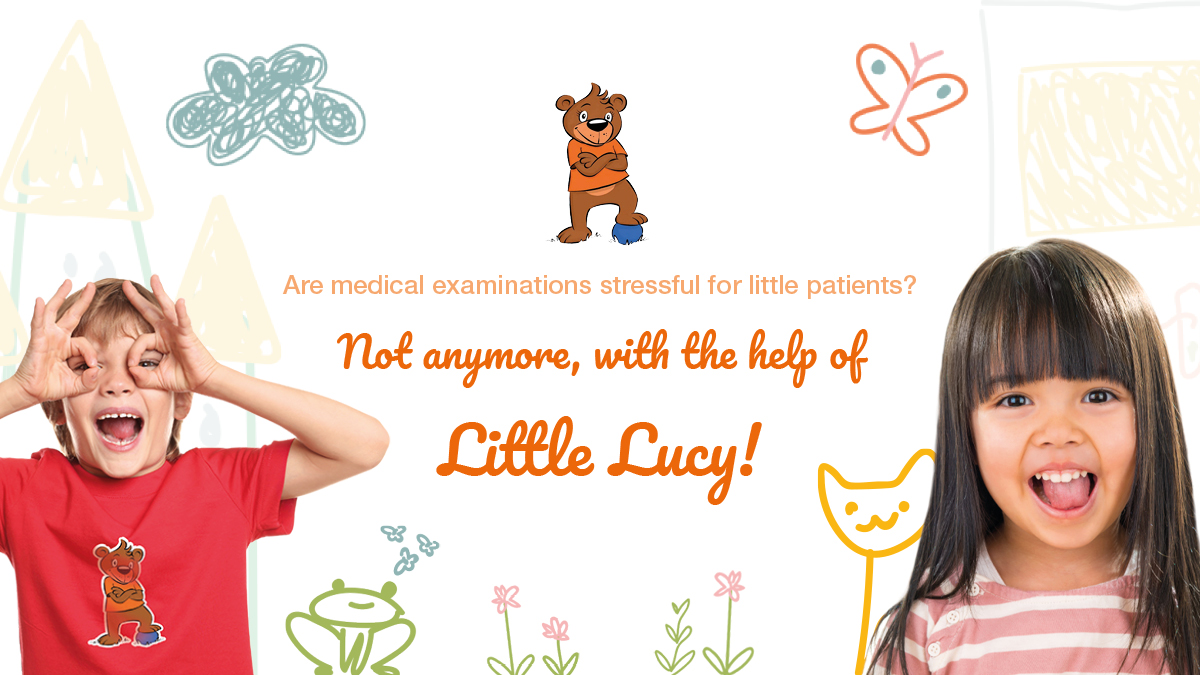
MRI scan stressful for paediatric patients? Not with the help of Little Lucy!

To undergo an MRI scan can be a stressful experience for paediatric patients. The good news is that this doesn’t have to be that way. Preparing the children for the upcoming scan is an important element to mitigate stress, fear, and anxiety. How? With a little help of the young patients’ new best friend: Little Lucy.

Stress factors of paediatric patients undergoing an MRI scan

Before looking at how the stress of young patients who have to undergo an MRI scan can be reduced, let’s first look at the factors causing the stress:

  • Often, children experience stress before the MRI scan actually takes place. They are afraid of the big machine and of the noise it makes.
  • Sometimes they are scared to lay in the narrow space.
  • Also, having to lay still during the scan can be both boring and fatiguing for them.

All in all, enough factors that can cause the young patients stress and enough reason to find a way to reduce it.

How to mitigate children’s ‘MRI scan stress’?

The above-mentioned stress factors can luckily be reduced. Not only by using the new(er) MRI systems, such as the OASISTM and APERTO Lucent PlusTM ,which, compared to the traditional MRI systems, are more open and silent, but also by preparing the children for what they can expect of the MRI scan. By playfully introducing them to all the steps involved in undergoing an MRI scan, the children will feel more comfortable and at ease. This is exactly the reason FUJIFILM Healthcare started Project Little Lucy.

Little Lucy helps children to be prepared for the MRI scan

Project Little Lucy is built around the illustrated story ‘The great adventure of Little Lucy’. It is about a small bear who gets hurt and undergoes an MRI scan. In the story, Little Lucy bravely goes through her medical examination, just like real little patients. She learns how the examination takes place and intrigued, asks the doctors many questions about the device.

The book includes colouring pages and is accompanied by gadgets such as pencils, soft toys and a shirt, as well as with graphics for the walls and devices. While reading and playing, the children identify with Lucy’s experience and will learn what they can expect. When the examination is over, the children leave with their ‘Brave Patient’s Diploma’. Everything to keep the little ones busy, make the wait in the waiting room more pleasant and to round off the examination on a positive note.

Learn more about stress-free MRI scans for paediatric patients

Like you, FUJIFILM Healthcare aims to mitigate stress in children that need to undergo an MRI scan. Don’t we all want them to feel comfortable and safe in medical facilities? Learn more about Project Little Lucy and our paediatric MRI and other medical imaging systems here.

© 2022 FUJIFILM Healthcare Europe Holding AG

All trademarks are the property of Fujifilm Corporation.

How to: Tips for Photo Editing

Raw Format without Loss

Nowadays most cameras, especially professional ones, include a RAW-function which allows saving images in a raw data format. This setup is perfect in order to rework pictures without a loss thanks to its large dynamic range. Unfortunately, there is no standard of RAW data yet, causing differences between camera manufacturers and models. Nonetheless, the internet offers a wide range of converter tools, helping to easily edit raw image data. For example, the Adobe-DNG-Converter transforms your data in a uniform format. Afterwards, the pictures can be adjusted with common photo editing tools. All RAW data not only have marginal differences, they also share two substantial characteristics. Firstly, the original image quality remains, including all details captured by the image sensor. Subsequently, the pictures always need to be edited. Secondly, the storage requirement increases.

Lightroom to edit image raw material

Not all shots are always 100% perfect. Honestly, they probably are never immaculate at first. Consequently, many photographers rework their data with editing tools such as the professional image editing software Adobe Lightroom. Lightroom was designed specifically for RAW formats. Beneficial is that this tool does not work destructive, meaning it is always possible to undo all changes made. The finished results can be synchronized with the original images on the user’s own computer. This gives Apple users an advantage for the time being, but an APP for Android devices is already planned.

LightZone 4.0 as free RAW converter

A free substitute for Lightroom is LightZone which is an open source project since its 4th version. Thus, it is a freeware under BSD licence for Windows, macOS, and Linux. LightZone is not only suitable for converting and processing RAW files, but also for JPEG or TIFF. Additionally, it offers similar tools for editing individual image areas as Photoshop.

JPEG decreases Image Quality

Joint Photographic Expert Group (JPEG), representing a cooperation of experts who developed this format. It is the most common used imaging formation, but has one major downside, the loss of picture information. Even though most camera models enable to choose the compression ratio, but it does not prevent a loss of details on photographic prints. In addition, there are some limits occurring while editing JPEG photos because the internal software of the camera already performs some editing processes. Especially, once changes have been made, they can only be edited afterwards to a limited extent. Overall, JPEG uses less storage capacity, but therefore provides fewer possibilities to enhance and edit the image professionally.

Image Optimization through FUJIFILM Ordering Software

The automatic image enhancement of myFUJIFILM is perfect for everyone who has not the possibility to optimize an image template for photo prints themselves. This is particularly suitable for unprocessed image files that need to be brightened. Please deactivate the automatic image enhancement in the ordering software or on our Internet platform for all images that have already been edited.

Why is image resolution so important?

Digital images are converted into small dots when printed (so-called dots per inch – dpi). The more dots per inch there are, the less individual dots the human eye can perceive. This means that the dots blur into an overall image and the photo looks razor sharp. Therefore, it is important that the image has a resolution of 300dpi. Moreover, it is decisive to consider the fact that the subject might look perfect on the computer, but the print can still be blurred later.

The reason: most monitors have a resolution of 72 or 96 dpi. This corresponds to about one third of the image format. To ensure a flawless print resolution, you should therefore rather determine the actual dpi number with the following formula: dpi = (horizontal pixel count of the photo x 2.54) / width of the photo

For example, a picture width of 15 cm and a horizontal pixel count of 1600 will have 271 dpi. Of course, calculating the value for each photo is not necessary at this point. Our software (ordering software / internet platform) shows via a warning triangle if the image quality is sufficient or insufficient for the selected format. If the image does not meet the requirements for a photo print in the desired size, there is the option of selecting a smaller image format via the selection menu. The formula is still very practical, as it helps to check shots at random. This makes it easy to calculate the right image format in advance.

Once the image processing and a quality check is completed, the next step is to order the prints. Fujifilm’s photo labs expose digital images on smudge-proof FUJIFILM photo papers. The images that are developed in this way are always of high quality. Digital photos that are printed out on your PC at home will therefore never meet this standard.

Header Image © Jerred Zegelis

World Cancer Day 2022

World Cancer Day – every 4th February – is a global initiative led by the Union for International Cancer Control (UICC). Starting more than 20 years ago, World Cancer Day has grown into a positive movement for everyone to face one of our greatest challenges in history. By raising global awareness, improving education and  collective action, we are all working together to reimagine a world where millions of lives can be saved through preventive care and access to life-saving cancer treatment is equitable for all.

While we live in an era of impressive advances in healthcare – from artificial intelligence to hyper-technological devices – many of us seeking cancer treatment encounter barriers at every turn: income, education, geographical location and discrimination. That is why the Union for International Cancer Control has chosen as the theme for this year’s World Cancer Day, #ClosetheCareGap. To raise awareness of this gap that affects people all over the world, in both high- and low- and middle-income countries.

And we, at Fujifilm, are also promoting this initiative. For years, our goal has been to find solutions for society’s problems. One of the main goals of our Sustainable Value Plan 2030 is to improve access to healthcare globally, reduce the burden on patients by providing innovative solutions for medical imaging and enable early detection of diseases using AI and IT.

Last year – on 4 February 2021–we inaugurated NURA*, a Fujifilm cancer screening center in India. Its cancer screening program includes 10 tests, including breast cancer, cervical cancer, lung cancer. With NURA, our vision is to introduce the culture of regular health screening. We will continue to support the development of healthcare by providing state-of-the-art products and services that help improve the health and quality of life of people around the world to #CloseTheCareGap.

*In partnership with Dr Kutty’s Healthcare