

We at Fujifilm Australia are excited to introduce Mr. Ian Burrows as our next X-Thusiast Featured Photographer for July 2016. When he’s not busy with his family, Mr. Burrows enjoys capturing the dark, unnoticed corners of Sydney metro and stitching together engaging, multi-photo panoramas with is Fujifilm X-T1 and X-E2.

“Big Bend” by Ian Burrows, Fujifilm X-T1 + XF35mmF1.4 R, Auto bracket exposure, Manual, 3.2 sec, F8, ISO 200 (42 pictures)
Introductions first: Who are you and where are you from? Can you tell us about your hobbies? What inspires you from day to day?
My name is Ian Burrows and I am from Sydney, NSW. I’ve lived in the west, north and south of Sydney, but I’ve also spent brief stints on the NSW Central Coast and in the UK. Along with photography, I love riding my pushbike, shooting hoops and spending time with my kids. There are so many beautiful places in this world, but I find day-to-day life more relevant. It is what I do in my life, my life experiences, that inspires me and my photography preferences.
How did you develop an interest in photography? How did you start out? How would you describe the development of your photographic style, if you have one?
I think I have always enjoyed photography. The act of making an image stimulates the brain.
When I first started shooting, I was travelling a bit for work, mostly coastal towns in NSW. I was naturally drawn to the beaches, so I started out shooting seascapes and landscapes wanting to emulate the big names in Australian landscape photography. As life got busier and I spent less time near the ocean, I experimented more with night photography and urban shooting. It immediately appealed to me. Dark, desolate, urban scenes make me smile.The other influence on my style has been my obsession with panoramic images. Shooting wide and extreme views has driven many of my favourite images.

“Belly of the Beast” by Ian Burrows, Fujifilm X-T1 + XF10-24mm, auto bracket exposure, Manual, 1/4 sec, F8, ISO 400 (24 pictures)
What’s your favourite location to shoot in Australia? What are your favourite subjects to shoot?
Shooting around the streets of Sydney is enough for me. I have a young family and so reality dictates that I stay local and shoot when I can, which is usually at night. I would love to head farther west, but that can wait.
What’s your favourite X Series camera? Why do you prefer that particular model?
The X-T1 has grown to be my favourite. The viewfinder and general speed are a winning combination for me.
Which Fujinon lens or lenses do you prefer?
The XF10-24mm for wide and XF56mmF1.2 R for long; wide for urban and long for portraits of my kids. The 10-24mm is so flexible and the 56mm just produces beautiful images under most circumstances.

“Jaca Warra” by Ian Burrows, Fujifilm X-E2 + XF35mmF1.4 R, Manual exposure, 1/256 sec, F8, ISO 400 (49 pictures)
Could you describe your photographic workflow? Do you prefer any third-party camera accessories or post-production software?
My workflow is fairly set. l usually shoot multi-shot panoramas. I open the RAW files in Capture One, make adjustments to exposure and colour and then sync those across the Pano frames. I export to the individual frames for the panorama to TIFF format and stitch in auto-pano. I finish in Photoshop usually using colour and silver EFEX. I often apply a film simulation to alter the overall colour balance and feel to give a slightly unreal look something subtle but enough to register in the brain.
My favourite effect is a slight green toning similar to what you often see in movies shot at night on film.
What are some of your favourite features or aspects of the Fujifilm X-T1?
The big EVF, rotating EVF view and WiFi for on-the-go edits.
Do you have any advice to new photographers or the next potential X-Thusiast?
Start with a middle-of-the-road camera, maybe a kit zoom and one prime. Keep it simple. Do not get caught up in the gear lust. Work smart. Hang out with good shooters. Observe them, and above all—observe life.
Any final thoughts, tips or advice you’d like to share?
It’s all about the light. And, lest we forget, a good picture tells a thousand words.

“Fairground” by Ian Burrows, Fujifilm XF18-55mmF2.8-4 R LM OIS, Auto bracket exposure, Manual, 4 sec, F8, ISO 200, Compensation: +1, (3 pictures)
Interested in joining the X-Thusiast community and sharing your own story?
See the full X-Thusiast Gallery and Submission details here.

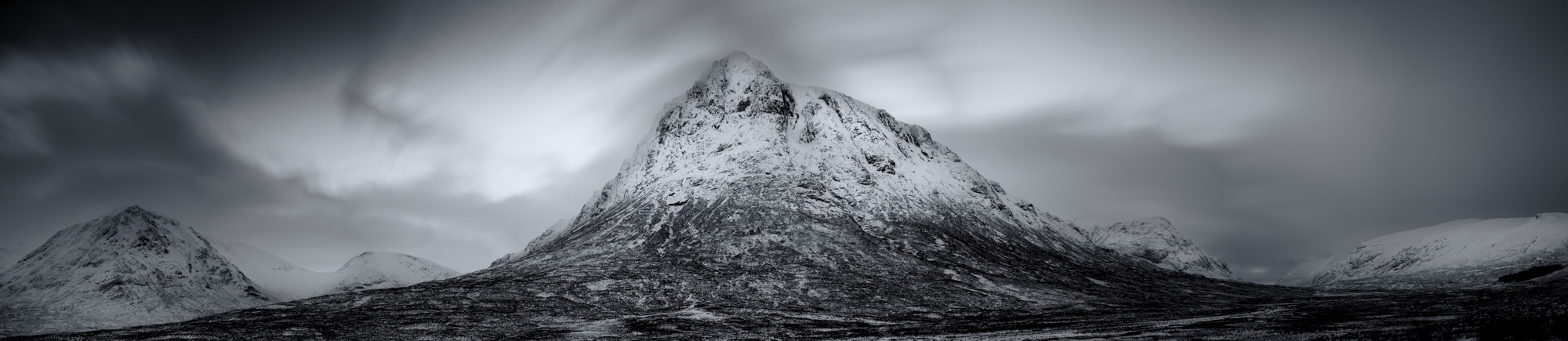


 There are many times that using a wide angle or telephoto lens just won’t get the results you want. They’re either too wide or too tight but you know in your heart that your viewpoint is correct.
