blog

X-Series Exploration

My good friend Ismar Badzic and I decided to meet up early one morning and head out to one of my favourite places in the Peak District to put together a little video about me! Ismar and I have worked together for about two years now, from making snowboard films in Switzerland to live music events in Sheffield, our work has seen us cover all sorts of subjects. So it was particularly bizarre for me when Ismar turned his camera on me…

The video is the first of a series of videos that Ismar intends to create on people in and around Sheffield. Though a bizarre experience, it was great fun as I was basically allowed to go about my exploration, snapping away, but just having to remember that I was being filmed; so had to try and look vaguely normal.

Ismar wanted the short film to be about me and my photography, nowadays that means that the Fujifilm system is of course involved, as I no longer own another camera system. The joy of video is that it shows off the gear being used in all its glory, without my written, rambling waffle. Though just a taster, it shows a handful of the helpful features in action, from the wireless control function to the bulb setting. Thankfully though Ismar failed to capture the moment I fell into Padley Gorge, don’t worry, no cameras were injured in the making of this film, only my pride.

I hope that this video portrays the hardiness of the X-Series, on this morning they were tested in cold and wet conditions and passed with flying colours (just as well as X-Pro1 was Fujifilm UK’s and it was drenched!). I wholeheartedly trust this system to work, no matter the conditions, from the tropics of Borneo to freezing temperatures, it has never let me down. Anyway, enough of my intro, see the video below and let me know what you think.

Below the video are a handful of pictures I took during that outing.

The photos were taken with a mixture of the X-T1, X-Pro1 and X100s, using the 10-24mm, 18-135mm and 56mm.

Day of filming-6 Day of filming-8Day of filming-5 Day of filming-12 Day of filming-13 Day of filming-15 Day of filming-17 Day of filming-18 Day of filming-19

Story behind the photo – Sheepish sunrise

This story started out with a glance at the forecast the night before. With heavy fog and cold, mirky conditions on the table I had to at least try and get out in the early hours and capture these often photogenic conditions. Though Curbar Edge is very convenient for me to get to in the Peak District, I was beginning to feel like a one trick pony so decided to head over to a hill called Higgar Tor, which has lots of beautiful rock formations and a great view. Thankfully the main roads were well gritted and there is a car park very close to the hillside so my journey to the top of the hill was pretty straight forward, which is just as well as I arrived just the sun had come up, above the horizon… Funnily enough, there was hardly any fog and the sky was quickly clearing and it was turning into quite a spectacle.

Higgar Tor sheep-15

I was not alone at the top of this seemingly lonely mountain though, there were two other photographer’s who were already there and in the prime positions for the sunrise. To avoid breaking the unwritten code of standing in front of another photographers shot, I had a little think to myself on how to approach the situation. While scouting around I came across a small herd of sheep, which seemed to have adapted well to the wintery conditions, as if their white coats were designed for this all along! As soon as I saw them I decided to use them as my main subjects for the morning.

Higgar Tor sheep

Without a subject, I find it quite difficult to connect with landscape pictures, so having the sheep to focus on helped me focus on how to do the beautifully unravelling situation justice.

Higgar Tor sheep-10

Since I had the Nissin i40 flash in my bag I decided to give it a go in the challenging conditions with the X-T1 and the 18-135mm lens. It quickly turned very bright and made the little flash work hard, which did result in relatively slow refresh times, but this could have been due to some slightly older batteries in it. What I wanted to do was to use the flash to give the sheep a tiny bit of definition in the part shaded from the sun. I deliberately moved so sheep were initially between me and the rising sun.

Higgar Tor sheep-9

Now it may not look like the flash was used here, but if you look closely, particularly at the left front sheep’s eye then you can see a little glint. That was from the flash. I had the exposure compensation down a notch or two to try and retain a bit of the sky, otherwise it would have burnt out, as at that moment in time I wasn’t using any filters. The flash was on 0 exposure compensation and I attached the diffuser. Again, to reiterate I didn’t want the flash to be obvious in this picture, instead I wanted it to just give a little glint, to highlight the eye, which it did. What I liked about back lighting the sheep with the low sun is the wonderful warm glow given to their outlines.

The sheep then headed down the side of the hill to continue their grazing.

Higgar Tor sheep-6

I decided to use the Velvia film simulation for much of the morning as it really gave a punchy finish to the photos, though sometimes the contrast was a little too high so I would sometimes change it to Provia.

Higgar Tor sheep-4

Higgar Tor sheep-17

Though the more I compare the above images, the more I lean towards the Velvia image as it is so attention grabbing. It is great having the options at your finger tips and being able to change the look of the image so easily and I haven’t even mentioned Classic Chrome yet!

As it was slippy under foot, I was very happy to have had the 18-135mm attached to the camera, as it gave me the versatility required to adapt to where I could move to and where the sheep moved! The first shot below was taken at 36.6mm, while the image after was at 135mm.

Higgar Tor sheep-3

Higgar Tor sheep-2

As the sun rose and the intensity of the colour faded I started using Classic Chrome more, to yet again change the look and feel of the pictures.

Higgar Tor sheep-13

Though the sheep were seemingly trying to hide on occasion..

Higgar Tor sheep-12

Using a longer focal length reduced the angle of view, which was helpful for this example as it gives focus on the sheep and the snow covered hill behind.

Higgar Tor sheep-11

Though freezing conditions (literally), the gear performed flawlessly, even if the batteries suffered a little due to the cold. Certainly something to consider if spending a long time in cold conditions, having multiple batteries will save you from frustration.

Leaving the sheep to graze, I decided to test out the i40 flash in another filler situation. Using the 10-24mm and a tripod I set up the exposure compensation to capture the surrounding area how I wanted it to look and then adjusted the TTL function on the i40 to fill in the shaded area of the rocks.

Higgar Tor sheep-18

This was the set up… The i40 looking the piece on top of the X-T1.

Higgar Tor sheep-14

To change up my photos again I decided to use the same techniques as discussed in the previous Story behind the photo blog, using filters for long exposures. On the other side of the adjacent valley was a factory/power station of some description and it looked like it could look pretty cool if slowed down. This was a 28 second exposure.

Higgar Tor sheep-16

What do you think to the photos? I hope it shows that the adaptability of the Fujifilm X-Series. Any questions please leave a comment below.

Until next time, go out, shoot and share your results with us!


Chasing the Wind – Les Voiles de St Tropez

by Simon Weir

At the start of a new year I often find myself looking back over the shoots from the preceding 12 months and in 2014 one in particular stands out: Les Voiles de Saint Tropez.

Les Voiles – literally “The Sails” – take place from April to October across the French riviera. Each race brings together some of the most beautiful traditional wooden yachts alongside the most extraordinary modern sailing boats for a week long regatta in beautiful ports such as Antibes and Saint-Tropez.

My good friend and fellow Fuji user Serge Krougikoff who runs Create-Away, a photography workshop company based in the south of France, has been talking about running a trip based around the regattas for some time and when he suggested we get together try it out I didn’t hesitate to say yes! We first teamed up with professional skipper Francois in Antibes in June and the trip was such a success that we agreed to do a second test-trip in Saint-Tropez in October.

19_Voiles_de_St_Tropez_DXT05011

Nestled between Cannes and Marseille the picturesque medieval port of Saint-Tropez would be stunning even without the boats. When you add some of the worlds finest vintage and classic yachts it becomes a feast of varnish and brass.

21_Voiles_de_St_Tropez_DXT06388

On shore there is a party atmosphere throughout the regatta but out on the water is where the action happens and where the photographic excitement begins.  Picture this: The south of France in the autumn sunshine, racing across the bay of Saint-Tropez in the shadow of Elena under full sail – trust me – life doesn’t get much better than this!

17_Voiles_de_St_Tropez_DXT04659

The original Elena, built in 1910 and winner of the Trans-Atlantic Race in 1928, was one of the greatest racing yachts of her time and this stunning replica, built in 2009 is one of the largest yachts in the regatta with a length of 41.6m (136′) and a crew of 30 – some of whom clearly have nerves of steel…

18_Voiles_de_St_Tropez_DXT04897

12_Voiles_de_St_Tropez_DXT04185

Under full sail she is quite simply magnificent – a true queen of the seas.

But it is when you are close to her you really feel the power and the majesty of a great racing yacht.

03_Voiles_de_St_Tropez_XEIR3471-Edit

These black & white images are taken with my infrared modified Fuji X-E1IR and the XF14mm lens – infrared really brings out the drama in some of these shots, especially when the clouds form interesting patterns that compliment the sails.

14_Voiles_de_St_Tropez_XEIR3896-Edit

All the colour images are taken with Fuji’s brilliant X-T1 and their weather resistant, optically stabilised XF18-135mm lens.  This was the perfect choice for shooting from a RIB where most of the time you are being bounced around and covered in sea spray – it was certainly a good test for the camera’s weather proofing and it didn’t let me down.  The OIS in this lens is staggeringly good allowing sharp shots almost regardless of how fast the RIB was going, and the wide range of focal lengths is perfect for a shooting situation where changing lenses is simply not an option…

08_Voiles_de_St_Tropez_DXT04047

Technically, this kind of shooting is really challenging.  The light changes all the time, depending on whether you are shooting towards or away from the sun, and I found the live histogram in the viewfinder of both cameras invaluable in ensuring that highlight details were properly captured – both in the sails and the sky.  Some of my favourite images place the sun shining through the sails bringing out tremendous detail in the canvas and rigging.

06_Voiles_de_St_Tropez_XEIR3579-Edit

Most of the time I was shooting in shutter priority mode, keeping the shutter speed at around 1/350sec – fast enough to allow sharp images even with the RIBs motion.  Focus was left to the camera with continuous tracking AF working flawlessly on the X-T1 even at 8 frames per second – no mean feat when the acton was changing so fast.

02_Voiles_de_St_Tropez_DXT03707

Amidst the excitement of this shoot it is all too easy to forget composition and just hit the shutter in the heat of the moment but it is really important to take the time to plan and conceive a shot before it happens. Our skipper Francois is hugely experienced and was able to position the RIB exactly where we asked him to get a specific shot, but always with the skill and safety of a professional captain, mindful of the fact that we were shooting in the middle of a race…

13_Voiles_de_St_Tropez_XEIR3816-Edit

In calmer moments we were able to capture details and abstract images of the yachts – shape, form, colour and line producing patterns and textures that tell a story of their own.

15_Voiles_de_St_Tropez_DXT04459

01_Voiles_de_St_Tropez_DXT03702

And occasionally when the wind just didn’t blow the crews had a chance to rest as well…

23_Voiles_de_St_Tropez_DXT07320

At the end of the day, exhausted and exhilarated we return back to Saint-Tropez as the light faded and the evenings celebrations began…

20_Voiles_de_St_Tropez_DXT04317

For details of the two “Les Voiles” workshops Serge and I are running in 2015 follow these links:

Voiles d’Antibes – 2nd to 6th June 2015

Voiles de Saint-Tropez – 29th September to 3rd October 2015

and for more about the other workshops run by Create-Away visit their website at
http://www.create-away.com


simon weirAbout Simon

Fujifilm X-Photographer Simon Weir specialises in photographing live performance (particularly classical music), contextual portraiture and nature. To see more of his work, check out his website http://www.simonweir.com/


Story behind the photo – Strong Contrasts

I thought I’d put together a blog on how I came about taking this image and the thought process I went through.

It was a grey and gloomy day, not overly inspiring for photography but I thought I’d bring my X100s with the TCL-X100 converter attached with me while I took my dogs out for a walk. Most of the walk was spent either trying to avoid slipping over in the thick, wet mud or turning my body to avoid having a face full of rain. I was shooting with the black and white + red filter preset as it worked well with the gloomy conditions for some moody shots. As I reached the top of the hill I was walking up, I noticed how quickly the clouds were moving across an adjacent hilltop and instantly decided to drive back to this location with my tripod and filters*.

I was imagining the image I want to produce while walking back down with the dogs. There was a strong contrast between the immovable trees and the blustery clouds so I wanted to exaggerate this.

Behind the shot-4
What you can’t make out from this photo is the speed of the clouds moving from right to left. That is because the shutter speed used has frozen the clouds, so there is no sign of movement.

I decided to use the X-T1 and the XF18-135mm lens because it was very versatile and meant I could change my composition with minimal effort! I mounted the camera onto a tripod and attached a filter holder system. I have a collection of square filters, these are very helpful as you can use square filters with a variety of lenses with different filter thread sizes, all you need are different filter adapters. Though the systems are relatively expensive, in the long run they are more economical than circular filters. I also used a remote trigger which means I don’t have to touch the camera and introduce any unnecessary camera shake to take the picture, this is very helpful for long exposures.

Behind the shot If you look at the above photo you can see that I have a filter inserted into the filter holder. I decided to use a gradual neutral density filter as this allowed me to darken the sky while having less/little effect on the ground.

The left filter is a gradual neutral density filter, it isn’t square which means you can adjust how far down you want the gradient to affect your picture. The filter on the right is a neutral density filter, which is constant throughout. This particular one is a 10-stop filter hence why it is so dark as it cuts the amount of light passing through it by ten times, so slowing down shutter speeds drastically.

I put the gradual filter in first and set it up how I wanted it, set focus and then inserted the 10-stop filter. The reason why I set the focus first is the 10-stop filter can make auto-focus very difficult so it is better to have it all set beforehand. On this occasion the 10-stop filter didn’t take the shutter speed below 30 seconds, which means the camera is able to accurately read the exposure required. If a 30 second exposure is still too short once you’ve applied the filter, then you’ll need to refer to a chart that shows the difference.

Behind the shot-12
This was taken with only the gradual filter so the shutter speed was still high enough to freeze the clouds.

Despite the fact that I’ve used a graduated neutral density filter, I’ve deliberately under exposed the picture to keep it dark and moody, hence why the ground is still dark. The slideshow below is a collection of images that used the 10-stop neutral density filter to slow down the shutter speed and as a result capture the cloud motion.

My photos are dominated by the sky – I deliberately kept the horizon low in the picture as the sky was the main subject for me. With the wider shots, I could have moved the horizon up more but the foreground content wasn’t particularly exciting, the sheep weren’t overly inspiring!

I hope this has been helpful and if you have any questions then please don’t hesitate to ask. There is one colour image above, I’d love to know which is your favourite out of the final four. For me it is the portrait orientated shot as I was lucky enough to capture the sun peering through the clouds.

*If you haven’t already seen my previous blog about photographing winter, then check it out here: https://fujifilm.blog/2014/12/31/capturing-winter/

Camera shake is great!

This is my favourite version - the sun had come out so the shutter speed increased to 1/4sec, but I still got some decent movement
This is my favourite version – the sun had come out so the shutter speed increased to 1/4sec, but I still got some decent movement

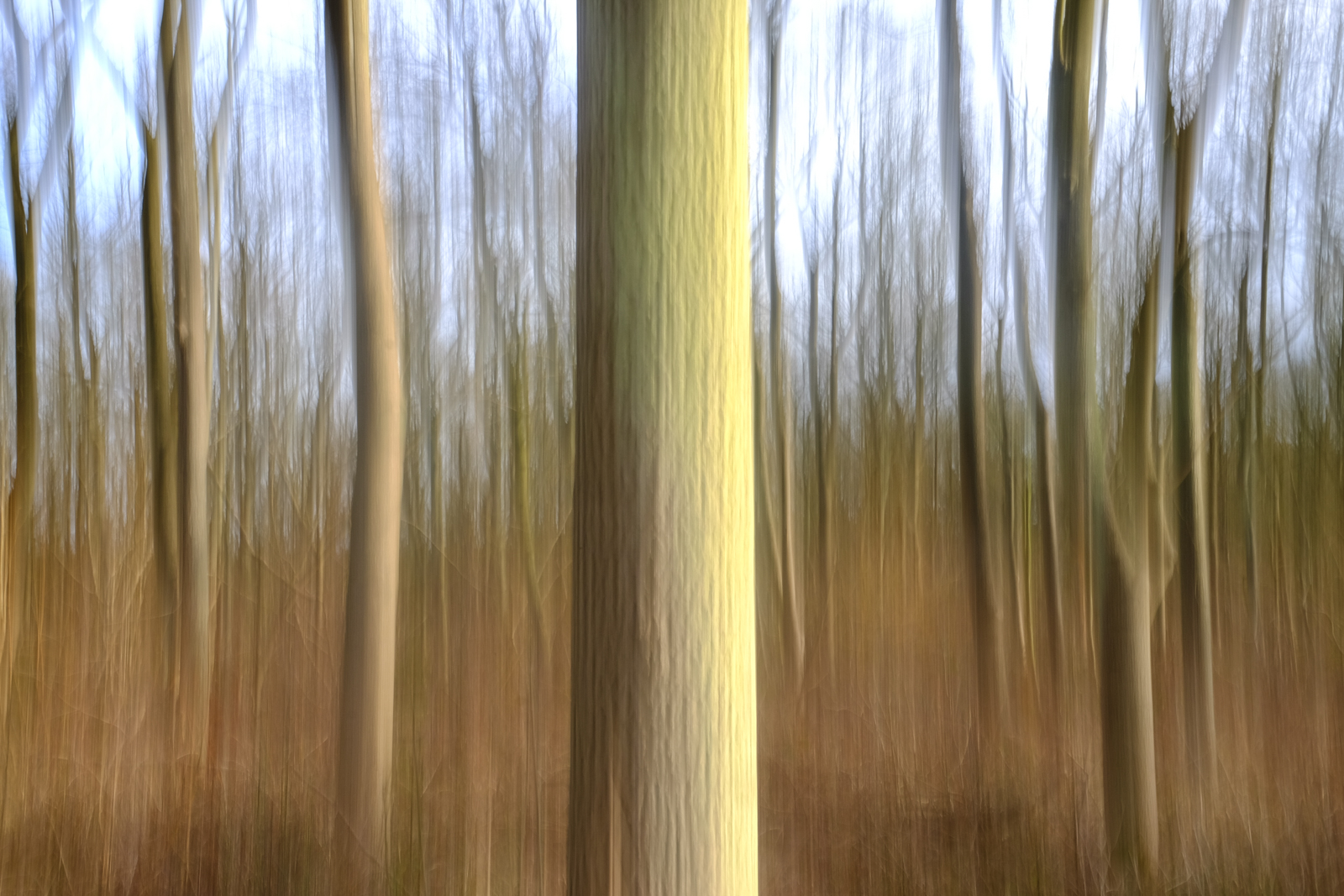
Fujifilm spend a lot of money developing systems to help reduce the chance of camera shake from spoiling our shots. Very effective they are, too. But sometimes, moving the camera during the exposure can be beneficial to your shots. The most obvious example is panning, where you track a moving subject, but there are other techniques that come under the banner of intentional camera movement (ICM) and it’s these that we’re going to explore here.

Pretty much any subject can be used for ICM, but it’s often best to loosely match the shape of your subjects to the movement you intend to make. Trees, for example, are ideal for vertical movement, whereas a landscape is good if you choose to move the camera horizontally. You can also twist the camera from side to side, which can induce a dizzy feeling in the viewer, so this works well if you’re looking up at a tall building or trees.

The actual movement part of the process can be done with your camera hand-held, but you’ll get far more consistent results if you mount your camera on a tripod. Even so, make sure you’ve got a fully charged battery and a card with plenty of space on it as you’ll inevitably get more misses than hits at first. As you’re going to be using a long(ish) shutter speed, also consider taking a polariser or neutral density filter with you, particularly if it’s a sunny day. Right, let’s head to the woods…

DSCF3163

1 Here’s my set up; an X-T1 with XF 18-55mm zoom, mounted on a sturdy tripod. The eagle-eyed among you will notice that I left OIS turned on for this quick shot, but I switched it off before I started taking images, and you should too. This avoids electronics trying to take over and reduce the movement.

2 Next, I selected the X-T1’s lowest ISO, the 18-55mm’s smallest aperture (f/22) and the two-second self-timer option. I then switched to the Manual exposure mode and took a meter reading from the scene, which gave me a shutter speed of 1/2sec. Ideally, you should be working with a shutter speed between two seconds and 1/4sec, so this was perfect and didn’t require the help of filters.

DSCF3179 copy

3 Finally, I locked off all the movements on the tripod head with the exception of tilt, pressed the shutter release and then quickly moved the head backwards and forwards. These movements should be as smooth as possible and the two-second delay gives just enough time to get into rhythm. If you find this isn’t enough time, use the ten second delay.

Once you’ve got used to the actual picture taking technique, try a range of different compositions. I like to have a tree prominent in the front of the shot, but you may opt for a more uniform. Take a look at the images below to see what I got.

ICM on the computer
There may be times when you want to have a go at ICM, but don’t have a tripod with you. On these occasions, you can rely on Photoshop. These two shots were done simply by using the Motion Blur filter.

To do it, open the image in Photoshop, then select Filter-Blur-Motion Blur. In the dialogue box that opens, you can choose the angle of blur (I left these of 0°), then simply move the pixel slider until you get the effect you’re after. Simple.

If you found this tutorial useful, do let me know. I’m happy to take suggestions for techniques you’d like to see, so just add your own views and comments below.

Initial impressions of the Nissin i40

Nissin kindly sent me one of their much talked-about flashes – the i40 – to test out. I plan to write a full review of the flash in mid-February but before then I just wanted to share my initial thoughts. This is only going to be brief as I wanted to get this up as soon as possible as I know a lot of people are interested in this Flash for the X-Series.

Unboxing

Straight out of the box it is very nicely presented, coming with a great little case, a stand and even a diffuser (not always the case with other manufacturers).

2015/01/img_0711.png

2015/01/img_0710-0.png

Usage

So what else is there to do when you get a new flash and live seemingly in the middle of nowhere…. Selfies obviously! I set up the X100s with the TCL-X100 attached on a tripod and had the i40 flash on a light stand with a little softbox attached. The camera and flash were connected by a TTL (through the lens metering) cable so allowing TTL. I moved the flash around a little bit and I’m pretty impressed with the flash (the same can’t be said for the model, what’s up with the constant smirk!).

The first image was taken with the camera exposure compensation set at 0ev. With the flash to the left of the camera and slightly higher. 2015/01/img_0699.png
The next two images were taken with the camera exposure compensation set at -1ev. You can see that the background is much darker compared to the above images. 2015/01/img_0704.png
For this image the flash was moved closer to the camera and a little higher so the flash was falling straight down onto my face. 2015/01/img_0705.png

Conclusion

As mentioned before, I will put together a more comprehensive review of the flash in mid-February once I am back from Romania, where I will be putting this little flash through it’s paces, photographing an Ice Hotel for Untravelled Paths.

Until then I have to say that I am very happy with this small but powerful flash. It looks a great addition to the X-Series with the flash balancing well with the cameras.

Where to buy

Click here to see retailers selling the Nissin i40 Fujifilm fit