The time had come. I’d been trying to justify keeping my X100S and X100T for some time but, in reality, since T had arrived, S had been spending increasingly lengthy spells in the cupboard. So, with a heavy heart, I decided to sell. The obvious route was on eBay, so I cleaned the camera up and took a couple of snaps before preparing my listing.
My initial shot (above) was very typical of the sort of image you see on eBay – lit with flash from the front, it hardly shows my lovely X100S in the best light, while the background is distracting. I didn’t think it would appeal to buyers, so I decided to try an alternative tack and headed upstairs into my bathroom…
Admittedly, this isn’t the most obvious room in the house to start taking product pictures but, in reality, it’s got a ready made studio for product shots – the bath. White, with a nice curve, the bath bounces plenty of light around to get even coverage and it has a clean, uncluttered background that won’t distract from the item on sale.
Using an X-T1 with an XF18-55mm lens, I positioned the X100S at the opposite end to the taps, flicked out the X-T1’s rear screen and used the lens cap under the end of the lens to keep everything nice and straight. The X-T1’s screen is perfect for images like this, although fixed screen X-series models will be fine – you might just have to contort yourself into the bath a little! I chose an aperture of f/11, ISO 1600 and used the two second self-timer for hands-free shooting and took a shot.
Not bad. Considering this was under tungsten light in my bathroom, I instantly had a better image than my earlier front-on flash lit effort. There was, however, a slight orange colour cast as I’d left the X-T1 on the Auto white-balance setting. I switched to the Incandescent white-balance option and took another.
Better. The colour cast has now all but gone, but I still thought it could be improved further – the highlight on the lens and on the handgrip were distracting, caused by the main light above and to the left of the camera as you look at it. To overcome this problem, I deployed a diffuser on the bath over the top of the camera. I had a ready-made one, but you could use a large sheet of tracing paper to get a similar effect.
Hey presto, the distracting highlights had disappeared! But I still wasn’t completely happy, so I tried one more option, leaving the diffuser in place and attaching an EF-42 flashgun on to the X-T1. I pointed the flashgun head straight up so the light bounced off the ceiling and switched the white-balance back to Daylight.
The result is below. Good isn’t it? And you’d never know it was taken in a bath. Naturally, you don’t have to use this idea purely for auction site listings, you could be far more creative, but there’s little doubt that this is a great way to boost the look of items you’re selling. I posted the listing and sold the camera for the price I wanted within a couple of days. What did I use the proceeds of the sale for? To buy an X70, of course!
What’s not to like about macro (close up) photography? Getting closer to your subjects to see them in greater detail will always appeal, so picking up a few techniques to help you get better at shooting close ups is always worthwhile. Before we get down to the picture taking, let’s cover off the basics.
First, to get the best results you’re going to need a macro lens. That doesn’t mean a lens that has a macro setting, it means a proper macro lens. Such optics aren’t only suitable for close up work. The FUJIFILM XF60mm F2.4 Macro lens that we’re using here, for example, doubles as an excellent lens for shooting portraits, but it’s optically engineered to excel at close ups.
When it comes to macro lenses you’ll often hear the term ‘reproduction ratio’, such as 1:2 or lifesize. Put simply, this refers to the size the lens can reproduce what it’s being pointed at. A macro lens that offers a lifesize (or 1:1) ratio will reproduce the subject at the same size on the sensor as it is in real life. 1:2 means the subject will be reproduced at half lifesize, and so on. The XF60mm offers a 1:2 reproduction ratio.
Finally for now, it’s important to know that the closer you get to a subject, the smaller the area that appears in sharp focus. Given this, focusing has to be extremely precise, which is why a tripod or some other form of support is recommended.
Scenario 1: Shooting macro outdoors
With spring just around the corner, it’s obvious to brush up on your macro skills so you can shoot flowers. Indeed, for this very blog, I found a clump of snowdrops in my local park. Shooting macro images outdoors brings a number of challenges. The light levels vary which can cause exposure issues and, on the day I shot, it was windy, which causes delicate flowers like this to blow around a lot. That means you’ll need to shoot plenty of images, so make sure your battery is fully charged and you there’s plenty of room on your memory card.
I used an X-T1 for all these images as the fold out LCD is an absolute godsend. As I was working at ground level, it avoided me having to lay down on the cold ground. Instead, I popped out the LCD and rested the camera on a rolled up coat for support as my tripod didn’t go low enough.
I picked my subject carefully, finding one bloom that was isolated away from a larger group so I could focus attention on it and still get some complementary colours in the background; always check what is behind your subject before you shoot.
The first shot I took (above) was with the XF18-55mm set to 55mm and at its closest focusing distance. To be fair, this isn’t a bad result at all, but doesn’t really have a huge amount of impact as the bloom is quite small. So I reached for the macro lens and took this:
It’s a big improvement with the bloom occupying more of the frame, but the light is a little flat, so I used a small silver reflector placed under the snowdrop to push some more light in and get an even better shot:
I could have stopped there and been happy, but I also had the FUJIFILM MCEX-11 and MCEX-16 extension tubes with me, so I gave them a try. The tubes fit between the lens and body and allow you to focus even closer. Both tubes maintain all functionality between lens and camera including autofocus, but the focus can hunt a little more and as I was getting so close to the snowdrop I opted to switch to manual focus and use Focus Assist to enlarge the subject on the X-T1’s rear LCD for focusing accuracy. AF hunting isn’t the end of the world, but means you can end up with shots like this where it’s focused on the background rather than the single bloom.
I took three further sets of images, one with the 11mm, one with the 16mm and then one with the two combined, which got me closest of all. The reflector stayed in place for each image, but the sun was in and out hence the variations in light levels. Take your pick!
11mm tube
16mm tube
11mm and 16mm tubes together
Scenario 2: Focus stacking indoors
Time to warm up and head indoors to try another macro technique: focus stacking. Here, you take a range of shots with the lens focused on different parts of the subject before using Photoshop to stack them all together and get one super sharp image.
As previously mentioned, the closer you get to the subject, the smaller the zone of sharp focus so it can be difficult to get the image sharp from front to back. One solution would be to put the camera on a tripod and use a small aperture. But this could make for a long exposure, plus lenses aren’t always at their optical best at smaller apertures. It’s better to pick a central aperture – here I used F5.6 – and stack the images together.
To make this technique work, you’ll need something called a focusing rail. This attaches to your camera and allows you to make precise incremental changes by using the measure on the side of the rail. I used the 454 Micropositioning Sliding Plate by Manfrotto. I attached this to the X-Pro2 and XF60mm with MCEX-11 extension tube I was using inside, then put both on a tripod and framed up my subject – a dusty snooker scoreboard. In case you wondering why I didn’t remove the dust, this is purely to show how much detail you can get using the stacking technique.
With the XF60mm set at F5.6 and manually focused on the number 9, here’s the result I got (above). The 9 is nice and sharp, but the in focus area soon drops off on either side. Next, I didn’t touch the focus on lens and moved the focusing rail until the point nearest the camera came into focus. Noting the distance on the rail, I took a shot. I then moved the rail until the furthest point from the camera into focus and took another shot. Again, nothing on the camera was changed and I noted the distance on the rail.
The distance between the two focus points needed the rail to be moved by 4cm. So, again, by not touching any settings on the camera or lens, I moved the rail incrementally by 2mm at a time and took further shots. This gave me a total of around 20 images. Shooting over, I went to my computer and fired up Photoshop.
Nearest point
Furthest point
I opened all the files at once in Photoshop and then chose File>Scripts>Load File into Stack then on the dialogue box that opened, I chose Add Open Files and OK. With this complete, I then opened the Layers palette in the resulting image and selected all the Layers before choosing Edit>Auto-Align Layers. Once this was complete, I then selected all the Layers again and chose Edit>Auto-Blend Layers. On the resulting dialogue box, I chose Stack Images and then hit OK.
Depending on how much RAM your computer has, these processes may take a while, but once Photoshop has weaved its magic, you should find a sharp image where all the frames are stacked together. There is a possibility that your image will have some odd overlapping elements caused by the slight variance in camera angle between each frame as you move the camera along the rail. In this case, I did, but I was able to crop in slightly to removing the offending areas. If that’s not an option, you’ll need to try a different subject matter and preferably shoot on a plain background such as white or black.
If you’re happy with the result, finish by choosing Layer>Flatten Image and you’re done!
So there you have it – macro in a nutshell. One final point to bear in mind, macro photography is time-consuming to get right. Don’t expect great results straightaway, although there’s little doubt that patience will be rewarded. So when it comes to macro ideas, think big!
Light. There’s a lot of it about. And as photographers it’s up to us to harness it in every shot we take.
You may have a personal preference as to which light source you prefer, be it natural or artificial and, despite the combative title of this blog, we’re not for one minute going to suggest that one is better than the other. Instead, we’d suggest that it’s what you’re shooting that counts and should make your choice accordingly.
By way of demonstration, I set up a couple of still-life images, lighting one using artificial light from a humble desk lamp and the other using diffused daylight on a cloudy day. Along with the lighting being switched, I also changed the subject, but nothing else – the background is the same as is the kit – a tripod-mounted X-T1 with the spectacular XF90mm F2.
Shooting in artificial light
The beauty of artificial light is that it’s completely controllable. Even a simple desk lamp, like the one I’ve used here, can easily be moved around so you can direct the light where you want it. The same, of course, applies to flash, LED and fluorescent light sources. Compared to daylight, artificial light sources are comparatively small, meaning the light they emit is more harsh. You can diffuse it or you could simply play to these strengths, as I did here to light my spanner collection. Metallic objects – among others – are great for this kind of light, which throws deep shadows on the opposite side to the light source. For the collection of images below, I simply moved the light around the set up to get a variety of different effects.
Light to right of spanners
Light held above the camera
Light held below spanners
As well as being a harsher light source, artificial light like my desk lamp tends to be less powerful, so you may need to increase your ISO if you want to shoot hand-held or – as I did here – mount the camera on a tripod. You also need to consider your white balance settings, but we’ll come to that a bit later.
Shooting in daylight
Putting my desk lamp to one side for a minute, I moved on to shooting with daylight, using a large, north-facing window in my house as the light source and opening the curtains completely. North-facing windows are best because no matter what time of day you shoot, the light will always be soft as the sun will never shine directly through it. I had no such problems on this dreary day. Daylight like this is lovely and soft, so it lends itself perfectly to flattering portraiture. With no willing human subjects on hand, I switched to this gerbera, which benefits just as well from the diffused light.
I started by setting up with the window directly behind me, which created the shot above. It’s OK, but the light is very flat and the background is a little more prominent than I would have liked. To solve this, I moved the flower round by 90° to help create some shadows between the petals and tried again. Much nicer – there’s some improved definition on the stem of the flower and the background is darker!
No reflector
With reflector
The daylight was a little brighter than my artificial light set up, but not by a huge margin and, wanting to keep the ISO down, I shot tripod-mounted again. With a human subject, I’d have pushed the ISO higher. Despite the fact that I was shooting within one metre of a floor-to-ceiling window, daylight levels do drop off quickly as you move away from the window. To counteract this, I used an A2 sheet of white card as a reflector to push light into the left hand side of the flower.
A question of white balance
Every light source has its own colour temperature, which is measured in Kelvin, essentially this means that different types of light have different colours. The human eye automatically corrects for this, but cameras can’t so you need to make sure you set the correct white balance setting to make sure colours are accurate under different lighting conditions. It’s tempting to shoot with white balance on Auto, but this one size fits all approach can get caught out. Which is why I always change the white balance setting myself when I shoot. Shooting in Raw is also an option as you can change the white balance setting in post production; a luxury that isn’t available with JPEGs.
Your X series camera comes with a variety of preset white balance options – daylight, incandescent, shady, fluorescent etc – in the first instance, use one of these. But the X-series cameras also have a Custom white-balance option which helps you get super-accurate colours 100% of the time.
Auto white balance
Incandescent white balance
Custom white balance
Using it is simple, just frame the shot as you want it, select the Custom white-balance mode and then follow the on-screen instructions. Essentially, you need to hold a piece of white paper or card in the same lighting as the subject and then let the camera do the rest. I did that on both set ups, as well as used some presets, the results of which are shown here. Of course, there’s no right or wrong here, you can simply pick the shot you like the best, but it’s well worth playing about with white balance settings. Give it a go, whatever lighting you’re using!
For more help with white balance & settings please find our dedicated tutorial here.
With travel photography, one of the issues is prioritising equipment. You simply can’t carry everything you could possibly want to bring. If you do then it often hampers the overall travel experience as you’re weighed down by equipment and have to constantly look after it. For me, on my current trip that meant I couldn’t justify bringing a dedicated macro lens, especially when I had the XF56mm and XF50-140mm covering the similar focal lengths offered by the two available macro options. Instead I chose to pack both the 11 and 16mm extension tubes (MCEX-11 / 16). Offering camera-lens communication that allows autofocus, these simple compact devices can turn nearly any lens into a macro option (but please check lens compatibility).
My primary role in Costa Rica is to work as a researcher for a scarlet macaw program, so macro functions weren’t really at the top of the list. However the wildlife in this region is remarkable and macro functionality quickly became important. One of the sites we regularly see is a trail of leaf cutter ants marching through the forest taking supplies from the canopy to their nest. Following the tiny motorway, which has been carved out of the rainforest floor you’ll eventually find yourself at the base of a tree that’s being harvested.
Although I am focusing on leaf cutter ants, the general principles apply to all types of macro photography.
It is possible to get macro photos with wide apertures, these were taken at F4 with the XF50-140mm and X-T1, using ISO 3200(!) because the rainforest undergrowth was so dark (ominous clouds were gathering) and the ants were moving so fast, I needed fast shutter speeds, 1/600, 1/400 to help freeze the motion as I wasn’t using any flash.
Macro Photography fundamentals
For this type of photography you generally want to be using very high F Stops e.g. F22. The reason for this is when you start to focus on very close objects; the depth of field becomes very thin with more regular F Stops like F4, 5.6, 8. Even the maximum aperture on your lens is often not enough to get most of the frame sharp. One technique employed is to focus stack. Taking multiple pictures of a static subject, moving the focus throughout the frame and then stacking the pictures in postproduction. This wasn’t an option for me unfortunately as the ants were moving continuously (so fast when you’re looking at a macro frame!).
Using flash helps to stop these fast moving insects in their tracks. Note that the bokeh does degrade because of extension tubes. Taken with X-T1, XF50-140mm and stacked extension tubes. I used a Nissin i40 to light the scene from just above the camera.
Extension tubes – what are they?
They are simply extensions of the lens barrel, extending the distance between the rear lens element and the sensor. This shifts the focus, so for example instead of focusing at over 10 metres according to the lens, you’re actually focused 0.5 metres away when using an extension tube. There are two extension tubes available from Fujifilm a 11mm and 16mm. This gives you three options as you can stack the two together. The greater the distance, the closer the focusing.
Some lenses have very close native focusing distances
There are non-macro focused lenses that do actually have very close minimum focusing distances. For me, the two lenses spring to mind – the XF10-24mm and XF16mm. Though not particularly helpful for ‘normal’ macro photography because of they’re wide-angle lenses. However, I really like using both of these lenses for placing my subject within its environment, the benefit of these two is that my subject can be an elephant or an ant, both lenses are capable.
Above were taken with the XF10-24mmTaken with the XF16mm
Downsides to extension tubes?
Well as you might have seen on some of the images, the bokeh can regress from the wonderfully smooth circles we are all used to from Fujifilm lenses, to something more like heptagon! The high image quality we are also used to does degrade somewhat, but this is to be expected when you’re pushing a lens from what is designed for. What you have to remember is that these are ultra lightweight, convenient macro inducers that save you money and carrying around another lens.
I am only touching the fringes of what is possible with macro photography, there are many out there who know a lot more about macro, but the benefit of extension tubes for those on the go is obvious.
Macro Creativity
With a little time and patience you can really start to create some interesting images. Though the images below are nothing particularly new, it was nevertheless satisfying to produce them. Using an off camera flash, placed behind the ants shooting back towards the camera backlights the ants and produces some interesting silhouettes/shadows thanks to the leaf cuttings.
I hope this has been helpful. Here is a short video of how I went about creating these images. Filmed and edited by Ellice Dart. If you liked this blog and video then please leave a constructive comment below.
Happy Shooting.
Ben is an environmental photojournalist, zoologist and Fujifilm X-Photographer. His passion is showing the beauty and fragility of the natural world. Find more of his work at:
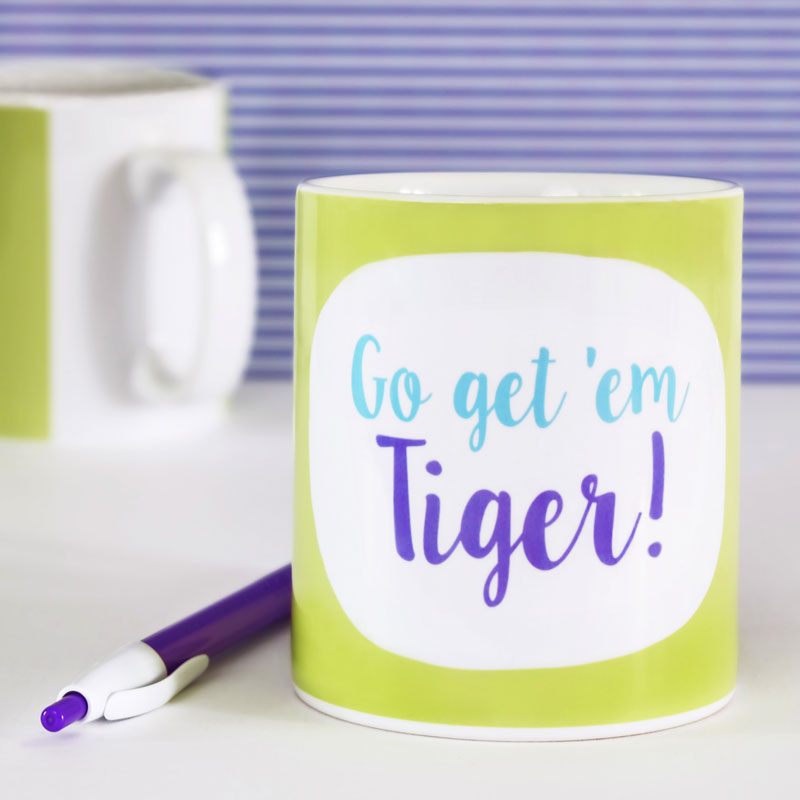
Photos are super-important for anyone selling online – our customers aren’t able to pick up our products. They can’t get a feel for our cards, prints or mugs as they would in a traditional bricks and mortar shop.
Although we have stockists in the real world, we also sell our products online via our own website, as well as on marketplaces such as notonthehighstreet.com and etsy. These are ultra-competitive marketplaces, with a lot of products all shouting for attention. Type ‘birthday cards’ into etsy and you get 184,757 (and counting) results.
Having an eye-catching design and an appealing price can only take you so far. You need strong SEO and, just as importantly, professional-looking product shots.
This isn’t only important for catching a customer’s eye, but also for getting the attention of the people running these sites, who will promote products with superior photography.
I had been using an old DSLR, which did a job for us, but was a bit of a pain for my partner Jack, who has very little camera experience (he claims to have taken GCSE Photography many years ago, but you’d never know) to use on a day-to-day basis.
The X-A2 is far more intuitive, operating more like the compacts he’s used to from family holidays and so on.
Having a camera we can both use makes taking product shots – and promotional photos for our social media posts – a breeze.
We work from home, in a spare room converted into a store room for all our cards, packaging material, mug press, printers, blank mugs… you get the picture. Oh and this room also doubles as our photo studio. This means that when we need to photograph our products, we have to do a quick transformation of our designated packing area into a mini photo studio. The quicker we can do this, the better. So being able to stick the X-A2 on to our tripod and shoot away is a real bonus.
Of course, we’re not just limited to the studio and with the X-A2 being so lightweight and compact, it has joined us on our travels this summer, including a long-awaited visit to Wimbledon (on the hottest day of the year, no less) which meant I was able to get some great photos that I will treasure forever.
In a nutshell, here are our 10 favourite things about the X-A2
Image quality.
What can we say? When we want a bright, sharp image to show off our colourful designs the X-A2 does not let us down. This gives our customers the closest experience possible to actually picking up the products in their own hands.
Reduced noise at a low ISO.
I knew that the photos I had taken with my DSLR had more noise on them than I’d like, even at ISO 100, but it wasn’t until I blew up an old image and one taken on the X-A2 side by side that I noticed just how grainy the old photos were in comparison. When your main selling tool is a product shot, quality is everything and could make a huge difference to the overall appearance of our online shop.
X-A2 camera ISO 100 200% crop
Old camera ISO 100 200% crop
Selfies.
You can flip the screen over the top of the camera body and take a mean selfie (Jack particularly likes this feature. Boys…)
Exposure preview.
Being able to preview the exposure before shooting is really time-saving. Our studio doesn’t always have the best light, it’s natural and changes in seconds. With the X-A2 I can keep adjusting and previewing the exposure quickly and easily, which saves heaps of time.
Liveview.
The liveview screen is ultra clear, exceptionally responsive and tiltable. I hadn’t really fully appreciated the point of an tiltable liveview screen until I started using the X-A2. Our studio space-cum-photography studio is pretty pokey, with stacks of cards, boxes of envelopes and postage tubes all coming in and out all the time. Being able to tilt the screen rather than stand back and crouch down makes photography a pleasure rather than a chore.
It ain’t heavy.
How can a camera packed with so much clever stuff be so lightweight? It must have come from the future. Going back to the DSLR after using this is like trying to pick up a Rottweiler when you’re used to a Pomeranian.
Hip to be square.
The square format mode is a big bonus for us. The standard photo format on our website and notonthehighstreet.com is square, so this not only saves us time in cropping, but also helps us to shoot specifically with these websites in mind. Seeing the crop in camera first, rather than having to imagine a square crop from a landscape or portrait image is a huge benefit for us.
Battery life.
We kicked the heck out of the battery, really going to town on what we thought would be real energy-sapping sessions of lengthy liveview use, but the X-A2 just kept on keeping on.
Wireless transfer.
Being able to zap the files straight over from the X-A2 to our computer, tablet or phone not only makes us feel a bit like Tom Cruise in Minority Report, but saves time and, teamed up with the square format, makes Instagram a doddle.
It looks cool.
Well, it does, doesn’t it?
After a few weeks of launching new products – and mainly studio-based work, we’re keen to get the X-A2 out on the road to get some great new content for our blog. Watch this space…
Laura Harvey is the founder and designer at Paper Plane
It was just one of those afternoons where you look out the window and notice that rare, special thing… a drop of sunshine – I knew that on my lunch break I would have to take my trusty X-T1 with me for a stroll.
After admiring X-Photographer Doug Chinnery’s square format images, I thought it would be nice to just have-a-go! And as I’d never shot square format before, I knew I’d enjoy the challenge. So I set my camera to ratio 1:1 and then JPG & RAW (just in case). From that, I took a 2 minute drive to my local marina from the office here at Fuji HQ.
Once I was parked and on foot, I started shooting straight away whilst trying to get my mind into ‘square framing mode’ assuming there is such a thing! The first image I took ( that I liked 😉 ) was of a lock, I loved how symmetry immediately came into my mind when I put my eye to the viewfinder.
X-T1 – f/5.6 – 1/140 – ISO200 – XF35mm
Here’s an example of me trying to get good framing in square format. I focused my attention to the winding path ahead and was deciding where I thought the path should cut off in my image.
X-T1 – f/5.6 – 1/300 – ISO200 – XF35mm
When I took this shot below, I was again thinking about symmetry, trying to match the lines of the tree to hit the top left and bottom right hand corners of the frame.
X-T1 – f/5.6 – 1/60 – ISO200 – XF35mm
This shot wasn’t a particularly amazing one, but it did contain what I was aiming for – a triangular composition. Maybe you can see it?..
X-T1 – f/2.8 – 1/280 – ISO200 – XF35mm
I was walking along the waters edge when I saw this tiny little puddle with what looked like a mini diving board over the top of it. All it needed was tadpole or small insect having a swim to finish this image off nicely.
X-T1 – f/2.8 – 1/1000 – ISO200 – XF35mm
This one was definitely my favourite shot of the afternoon, it was this little mound of mud and grass that to me at the right angle looked just like a small island – I’m thinking Cast Away..
X-T1 – f/2.8 – 1/1100 – ISO200 – XF35mm
My final image was taken on the way back to the car. I came across I lovely little patch of daisys and using the tilting screen I could get right down low without getting my knees dirty – which is always a bonus!
X-T1 – f/2 – 1/4000 – ISO200 – XF35mm
I had a great time shooting in this 1:1 format and found that for some of my close up work it would actually be really nice to continue using it. I loved working the symmetry into my images and corner to corner lines too. If you haven’t tried it yet, give it a go – you may just have a blast like I did!


 With travel photography, one of the issues is prioritising equipment. You simply can’t carry everything you could possibly want to bring. If you do then it often hampers the overall travel experience as you’re weighed down by equipment and have to constantly look after it. For me, on my current trip that meant I couldn’t justify bringing a dedicated macro lens, especially when I had the XF56mm and XF50-140mm covering the similar focal lengths offered by the two available macro options. Instead I chose to pack both the 11 and 16mm extension tubes (